Creating a fun and interactive cryptogram puzzle doesn’t have to be difficult or expensive. In fact, thanks to the web-based tool Oh My Dots, anyone can build, share, and even print a free online cryptogram game without needing programming skills or design software. Cryptograms, also known as secret code puzzles, are timeless brain teasers that engage the mind, enhance pattern recognition, and entertain players of all ages. Whether you’re a teacher designing a classroom activity, a parent planning a learning game for your kids, or simply someone who wants to challenge your friends, this guide will walk you through everything you need to know.

In this article, you’ll discover how to create your own cryptogram game using the free Secret Code Game Creator. We’ll cover the step-by-step process from generating a puzzle automatically with AI, to adding hints, customizing your code symbols, and publishing or printing your final design. No downloads, no hidden fees, and no coding headaches. Just imagination and a few clever choices to make your cryptogram an instant hit.


Step-by-Step Guide to Building a Free Cryptogram Game

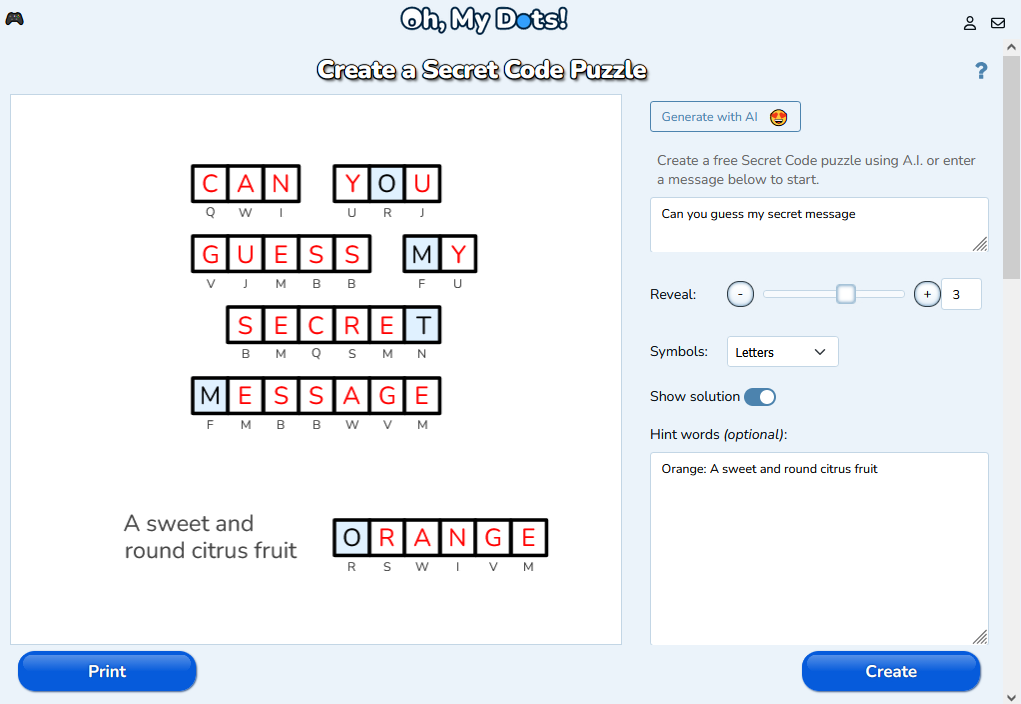
Building your first cryptogram game with Oh My Dots starts with visiting the Secret Code Game Creator page at www.ohmydots.com/creator-cryptogram.html. This browser-based tool requires no installation. The core idea of a cryptogram is simple: each letter in your secret message is replaced by a unique symbol, creating a coded puzzle that players must decipher. When you open the creator, you’ll see an intuitive interface where you can either generate a puzzle automatically or type your own message.

If you want to jumpstart the creative process, try the Generate with AI feature. By clicking the “Generate with AI” button, Oh My Dots’ built-in AI agent instantly creates a secret code puzzle for you, complete with letter substitutions and sensible hints. This is perfect if you need fast results or inspiration for your message. You can, however, edit or completely replace the AI-generated text at any time. For example, you might use famous quotes, educational facts, or custom messages to make your game more engaging or meaningful to your audience.

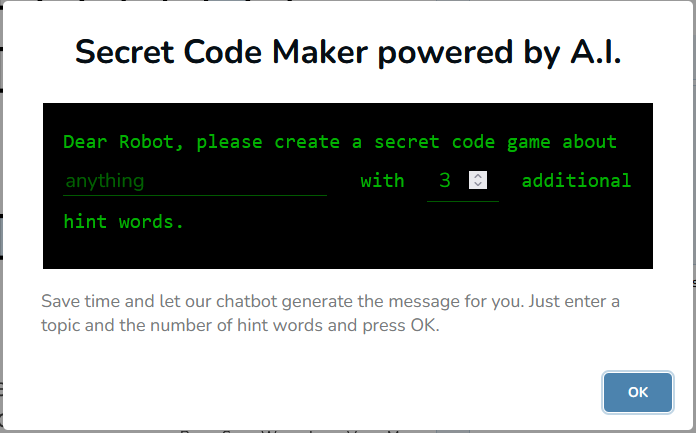
For those who love full control, you can skip the AI and type your own secret message directly into the input box. This feature supports personalized phrases, short stories, classroom vocabulary, riddles, or even themed greetings for holidays. It’s a flexible approach, allowing educators, content creators, or hobbyists to tailor the experience exactly how they want. Once you have your message, the next steps involve crafting clues and deciding how easy—or tricky—you want your cryptogram to be.


After entering your main secret message, you can make the puzzle more approachable by adding hint words. Hint words are optional but highly recommended, especially if you’re designing for younger players or cryptogram beginners. To use this feature, simply type one hint word per line, followed by a colon and a short description. For instance, you could type apple: a fruit or moon: shines at night. The key detail is that each letter from the hint words must also appear somewhere in the secret message. This rule keeps the letter-symbol mapping consistent throughout the puzzle.

Hints serve a double purpose: they make the game more educational and help solvers build a connection between the encrypted symbols and the real letters. Teachers can use them to reinforce vocabulary, while puzzle enthusiasts may use them to add narrative flavor. Let’s say your cryptogram is about space exploration—you could use hint words like “Earth,” “Star,” or “Rocket” with clues that tie into astronomy. These little touches make your cryptogram stand out and feel thoughtful, not just randomized.

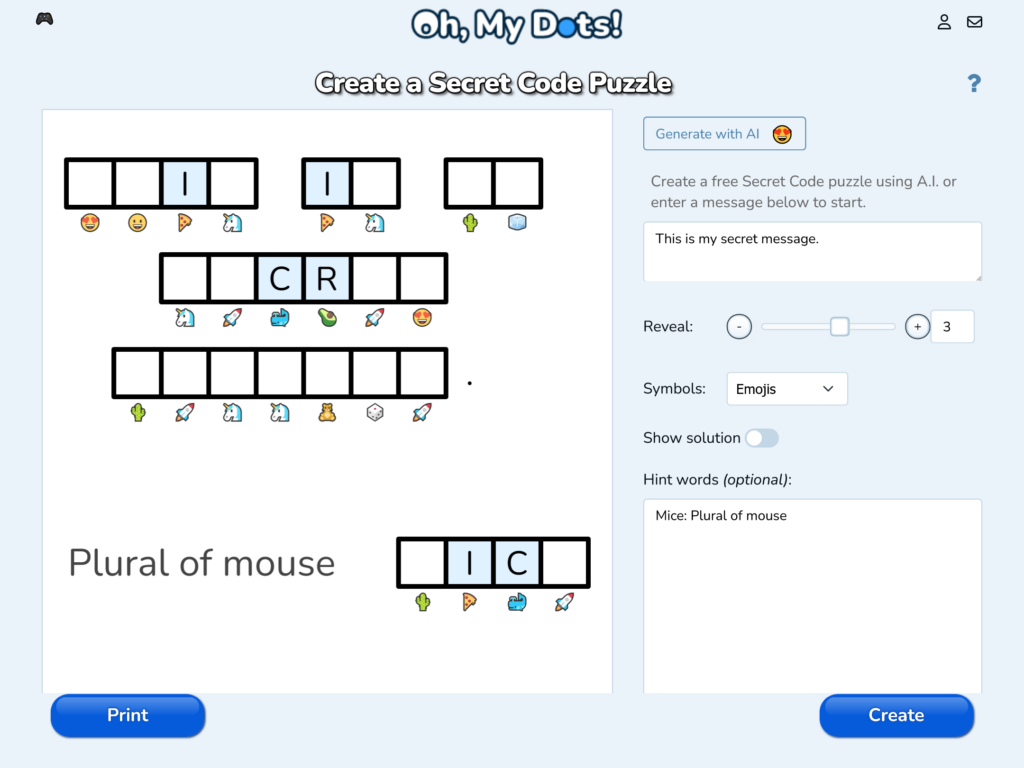
Once you’ve written your hints, Oh My Dots also allows you to reveal some letters before the game starts. This function is particularly useful when balancing difficulty. You can choose how many letters will automatically be shown to give solvers a small boost. Beginners may appreciate a few revealed letters to get started, while advanced players often prefer tougher challenges with minimal help. It’s all about finding that sweet spot between enjoyment and frustration.


Next, you’ll move to the symbol customization stage, which is one of the most visually engaging parts of the creator. Here, you can choose the set of symbols that will represent each letter of your secret message. Oh My Dots provides different symbol sets, ranging from classic shapes to fun icons. This variety allows you to match the look and theme of your cryptogram with your intended audience—simple dots for a school worksheet, or whimsical patterns for a casual puzzle page.

After setting your visual preferences, use the “Show and hide the solution” option to preview and test your puzzle difficulty. Turning off the solution gives you an authentic player’s view, helping you gauge how challenging your puzzle really is. Once satisfied, you’re ready for the exciting part—creating and sharing your game.


When everything looks perfect, click the Create button to generate your game. With one click, Oh My Dots instantly transforms your inputs—message, hints, and symbol choices—into a working interactive cryptogram playable directly online. The game includes interactive spaces for players to type their guesses, clear interface design, and automatic validation features. It’s incredibly satisfying to see your creative idea turn into a polished, shareable puzzle in just minutes.

Sharing your cryptogram is simple, too. Every created game gets its own URL, which you can copy and send to your friends, students, or followers through social media, email, or a website. Players don’t need to log in or register to play; they can just open the link and start solving instantly. This makes it ideal for educational activities, online challenges, or even group competitions.

If you prefer something more traditional, Oh My Dots also lets you print your game or download it as a PDF file. That means you can distribute your puzzles in classrooms, put them in newsletters, or include them in printed learning materials. Whether online or offline, your cryptogram game is ready to entertain and educate.


Using Oh My Dots to Design and Share Secret Code Puzzles

Beyond ease of use, Oh My Dots stands out for its versatility. It isn’t just a puzzle generator; it’s a creative playground for designing custom-coded experiences. Teachers, bloggers, and game enthusiasts can each use the tool differently, tailoring puzzles to their specific needs. For a teacher, for example, it’s a great tool for reinforcing spelling, pattern recognition, or language practice. By encoding course-related words into cryptograms, students can have fun while learning critical thinking and deduction skills.

The platform’s AI generation feature also opens doors for more creative uses. Let’s say you want a batch of quick puzzles for a daily challenge on your website—you can use the AI to create multiple cryptograms in minutes, tweaking each one for tone or difficulty. Because the AI-generated phrases can be edited, you always retain creative control. It’s this balance between automation and personalization that makes Oh My Dots particularly powerful.

For game designers or puzzle fans, the site is an effortless way to publish new challenges regularly. You can design collections of cryptograms based on themes like “famous inventions,” “movie lines,” or “holiday greetings.” The more thought you put into context and design, the more attractive your puzzle becomes to your audience. By adding unique hints or selecting distinct symbol sets, you can build a recognizable style that people will associate with your cryptogram collections.


Collaboration and sharing are at the heart of what makes Oh My Dots fun. Once your game is created, the URL sharing system encourages interaction among players. Teachers can even organize mini competitions by sending the same cryptogram link to multiple students and timing how fast they decode the message. Families can print them for game nights, and content creators can post weekly challenges to engage their online audience. The ability to generate multiple types of puzzles keeps the experience fresh.

An overlooked benefit is that these puzzles are device-friendly and browser-based, meaning players can solve them on desktops, tablets, or smartphones without compatibility issues. The responsive layout ensures every cryptogram looks good and functions well on any screen size. Sharing accessibility features like that makes it easier to reach a wide audience, including students in remote learning environments or puzzle lovers on the go.

Moreover, the print and PDF tools give educators practical options for both digital and analog use. You could hand out cryptogram worksheets in class, add them to newsletters, or use them as part of a scavenger hunt or word game session. The print-friendly design ensures the coded symbols and spaces remain clear even on paper, preserving the challenge and fun wherever it’s played.


The Oh My Dots platform also subtly teaches the art of puzzle-making and text design. By experimenting with symbols, hint phrases, and letter reveals, creators develop a deeper appreciation of what makes a game fun and fair. Over time, you can refine your approach—maybe fewer revealed letters for advanced solvers, or simpler vocabulary for younger players. Each new cryptogram you make becomes a small step toward mastering the craft of creative code puzzles.

Additionally, this system promotes community engagement. Puzzle makers can exchange cryptogram links, encouraging others to solve them, give feedback, and even request certain themes. This back-and-forth interaction turns puzzle creation into a social hobby rather than a solitary one. That’s a key reason why simple tools like Oh My Dots are becoming go-to resources for educators and enthusiasts alike.

Because the platform is free and constantly improving, it’s a reliable space for long-term use. You don’t need to worry about fees, hidden ads, or limited features. Everything—from AI generation to printable formats—is included in the core design. It’s rare to find such freedom combined with user-friendly functionality in one creative platform.


Building a free online cryptogram game has never been more accessible or more fun. With the Oh My Dots Secret Code Game Creator, anyone can bring the excitement of coded puzzles to life in just a few clicks. You don’t need powerful software or technical expertise—only a good message, a bit of curiosity, and a creative spirit.

By following the steps in this guide, you can generate your own puzzles, fine-tune difficulty, craft original hints, and share your creations anywhere. From classrooms to social media challenges, cryptograms make learning, playing, and connecting more interactive and engaging. The platform’s AI tools, customization options, and easy sharing links ensure your game reaches as many solvers as possible.

So, head over to ohmydots.com/creator-cryptogram, craft your secret message, and let the decoding begin. Whether you’re inspiring students, testing friends, or simply enjoying the art of hidden words, you now have everything you need to start building brilliant cryptogram games—completely free.

Word search puzzles are a timeless favorite, enjoyed by people of all ages. But why stick to the usual square grids when you can try a hexagonal word search? Hexagonal grids offer a fresh challenge, allowing for words to flow in unique directions. Using Oh, My Dots, a free and intuitive word search creator, you can easily design printable or online hexagonal word search puzzles. Here’s a step-by-step guide to create your game.


TL;DR

Create unique and challenging hexagonal word search puzzles using the free Word Search Creator: https://www.ohmydots.com/creator-word-search.html
Customize your puzzles with options like allowing diagonal and reversed words, set grid sizes, and personalize the appearance. Share them online or print for fun and engaging games. Perfect for players of all skill levels!


Why Hexagonal Word Searches?

Hexagonal grids break the monotony of standard square puzzles. In a hexagonal word search:

  • Words can run in six different directions instead of the usual four.
  • It’s a bit trickier, offering more of a challenge to puzzle enthusiasts.
  • The unique layout adds aesthetic appeal, making it perfect for themed puzzles.

Step 1: Access Oh, My Dots

Begin by navigating to the Oh, My Dots word search creator. This free tool is user-friendly and offers customization options to create puzzles in a variety of shapes, including hexagons.


Step 2: Set Your Puzzle Layout

  1. Choose the Grid Type
    • Oh, My Dots offers different grid styles, so select the hexagonal option. This will adjust the workspace to accommodate the unique hexagonal pattern.
  2. Set the Grid Size
    • Decide on the size of your puzzle. Larger grids are more challenging and can accommodate more words, while smaller grids are ideal for quick games.
  3. Allow Diagonals
    • When this option is enabled, words can appear in all possible directions on the hexagonal grid, including the unique angled paths specific to this format. This creates a more complex and engaging puzzle.
    • If you switch off this option, words will be limited to horizontal placements, simplifying the puzzle while maintaining the hexagonal layout. This is ideal for younger players or those who prefer easier challenges.
  4. Allow Reversed
    • Enabling this option introduces an additional layer of difficulty by allowing words to appear in reversed orientations:
      • Right-to-Left: Words can flow in the opposite direction of standard reading.
      • Bottom-to-Top: Words are hidden vertically in reverse, a feature not commonly found in traditional word searches.
    • When turned off, words will only be placed in standard directions: left-to-right and top-to-bottom.

Step 3: Use AI to fill in the Words

  1. Ask AI to create a Word List
    • Press the button Generate with A.I. to let application to suggest the words based on a theme of your choce.
  2. Alternatively, Input the Words
    • You can also enter your own words into the creator. Oh, My Dots will automatically place them into the hexagonal grid. You can adjust the placement manually if you wish.
    • The software allows words to be hidden in all possible hexagonal directions, such as:
      • Horizontally (left-to-right or right-to-left)
      • Diagonally (upward or downward)
      • Along angled paths unique to hexagonal grids.

Step 4: Test and Finalize

  1. Review the Puzzle
    • Ensure all words are placed correctly and there are no typos.
    • Check if the difficulty level matches your target audience.

Step 5: Share or Print

  1. Download and Print
    • Press the Print button to export the puzzle as a PDF or image file for printing. Hexagonal puzzles make for excellent worksheets or party games.
  2. Play Online
    • Oh, My Dots allows you to share your puzzle digitally. Press the button Create to generate a link to your puzzle and share it with friends.

Pro Tips for Hexagonal Word Search Creation

  • Use Diagonal Words for Extra Challenge: Hexagonal grids allow unique diagonal word placement. Include a few diagonal words to make your puzzle more engaging.
  • Limit Overlapping Words: While some overlap is fine, excessive overlap can confuse players.
  • Thematic Elements: For themed puzzles, include thematic shapes or decorative elements around the hexagonal grid for added charm.

Why Use Oh, My Dots?

Oh, My Dots is a versatile tool that makes it simple to create custom puzzles without any design experience. Its hexagonal grid option is a standout feature, catering to puzzle creators who want something beyond the standard square format. Plus, the ability to create online puzzles for free makes it accessible to everyone.


Conclusion

Creating a hexagonal word search puzzle has never been easier or more fun, thanks to Oh, My Dots. Whether you’re crafting a puzzle for educational purposes, a themed party, or just for fun, the platform’s intuitive tools allow you to design something unique and enjoyable. Explore the possibilities and start creating today!

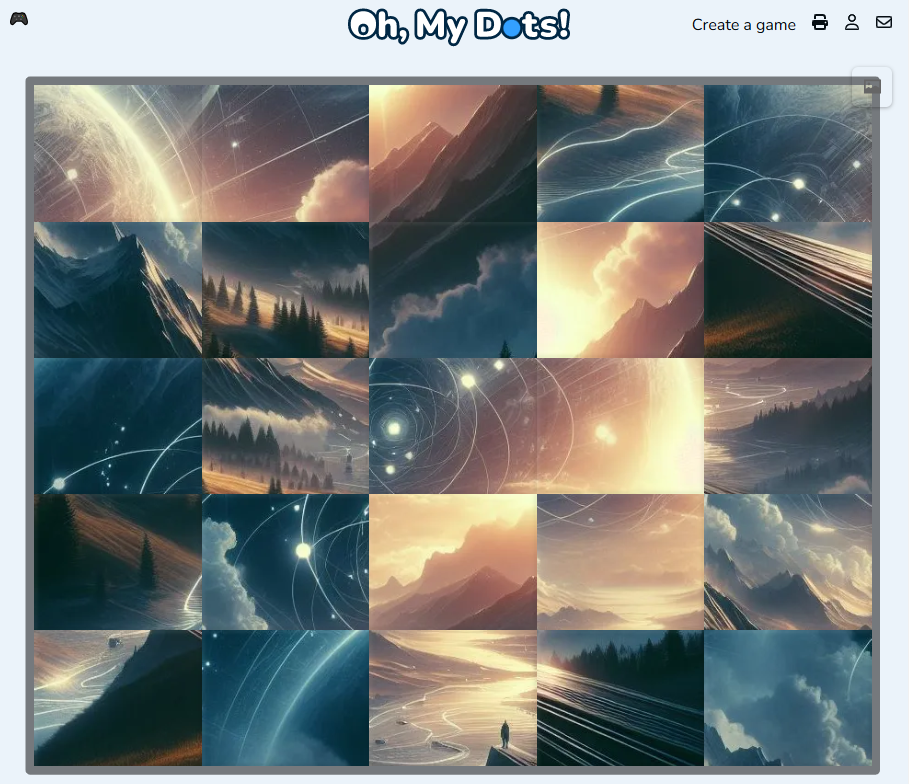
A swap puzzle is a type of interactive game where a picture is divided into several scrambled tiles, challenging players to rearrange the tiles back into their correct positions to reveal the original image. Unlike traditional jigsaw puzzles, where pieces are assembled from separate, unique shapes, swap puzzles typically use uniform tiles, such as rectangles or triangles, which players swap or slide into place to complete the image. This format encourages spatial awareness, problem-solving, and pattern recognition, as players must analyze the image, identify misplaced sections, and logically swap tiles to restore the full picture. Swap puzzles are popular in both digital and physical forms and can vary in difficulty based on the number of tiles and the complexity of the image itself, making them accessible and enjoyable for users of all ages.

How to create a free Swap Puzzle

Creating a swap puzzle on Oh, My Dots! is a simple, engaging way to make customized puzzles that can be shared, printed, and enjoyed by people of all ages. The platform provides an intuitive interface, allowing anyone to create a swap puzzle with just a few steps, all without needing to create an account. Here’s an in-depth guide to creating your own swap puzzle on Oh, My Dots!, covering each step in detail.

Step 1: Open the Puzzle Creator

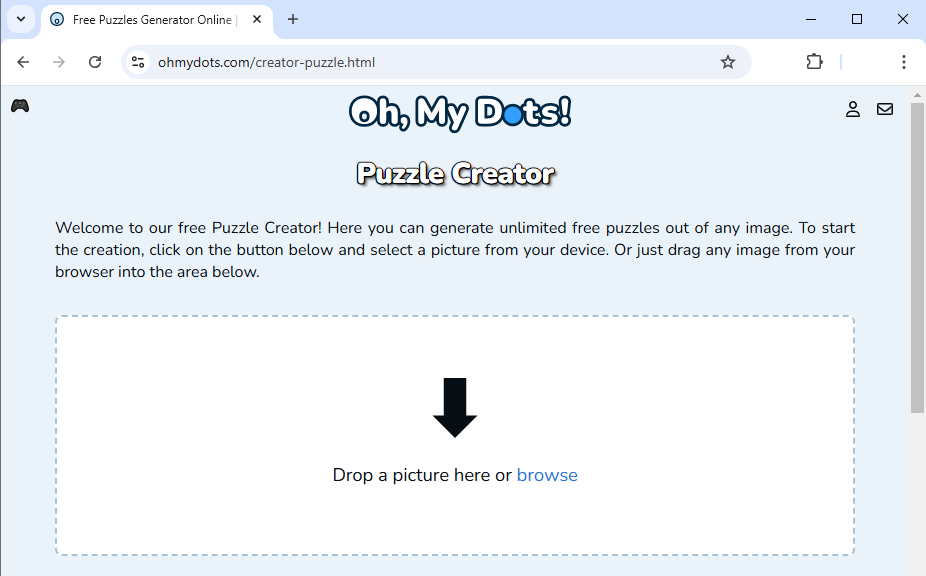
Go to Oh, my Dots! Puzzle Creator to begin creating your swap puzzle. This tool allows you to transform any image into a fun, interactive puzzle that you can share or print without needing an account.

Step 2: Select a Picture

Upload an image that you want to use for the puzzle. This can be any personal photo or a favorite picture that would look engaging once divided into pieces.

Since this image will be divided into tiles, choose one that will remain visually appealing and recognizable, even when split into pieces. High-quality images work best, as they retain clarity even when divided. You can select any image stored on your device, whether it’s a personal photo, a drawing, or a digital illustration.

The type of image you select can set the tone for the puzzle. For example, simple cartoon images with clear outlines work well for younger players, while detailed photographs or abstract images might add complexity and appeal to older users.

Step 3: Crop the Picture (if needed)

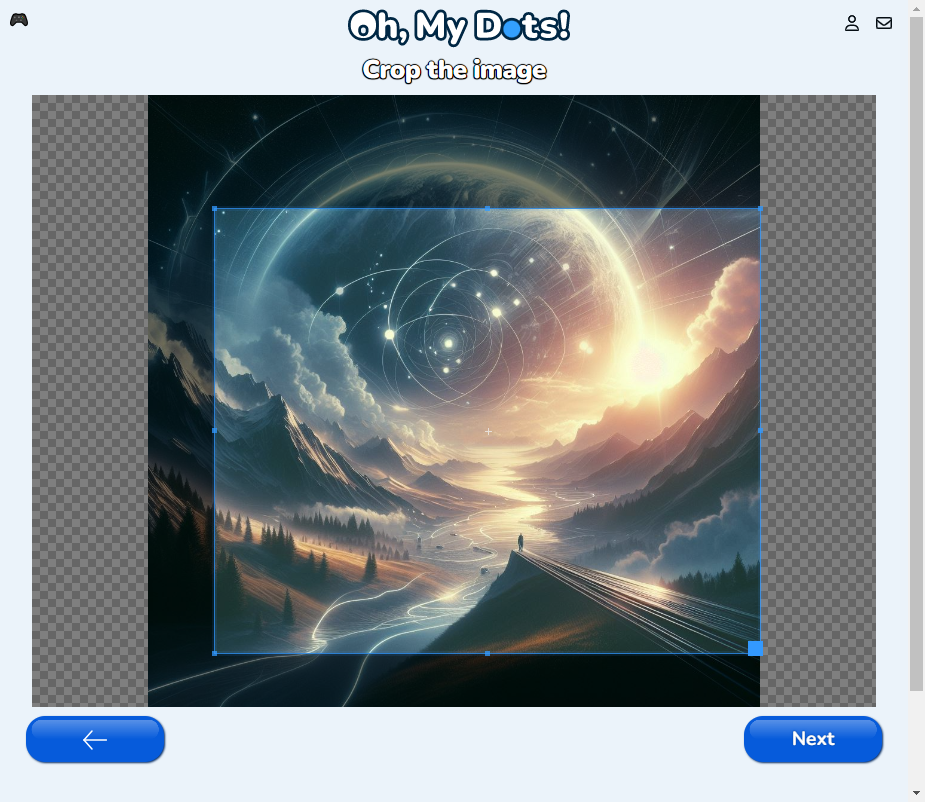
Once you’ve chosen your image, the Puzzle Generator allows you to crop it to focus on the desired portion. Cropping helps if you want to center a particular part of the image or remove unnecessary background elements. This ensures that the key parts of the picture are included in the puzzle and makes the challenge more visually engaging.

To crop, simply drag the selection box over the area you wish to keep. Cropping can be particularly helpful if the image has a lot of background detail that might make it confusing or if you want to ensure the puzzle pieces will show only the primary elements of the image.

Step 4: Select the Piece Format and Number of Pieces

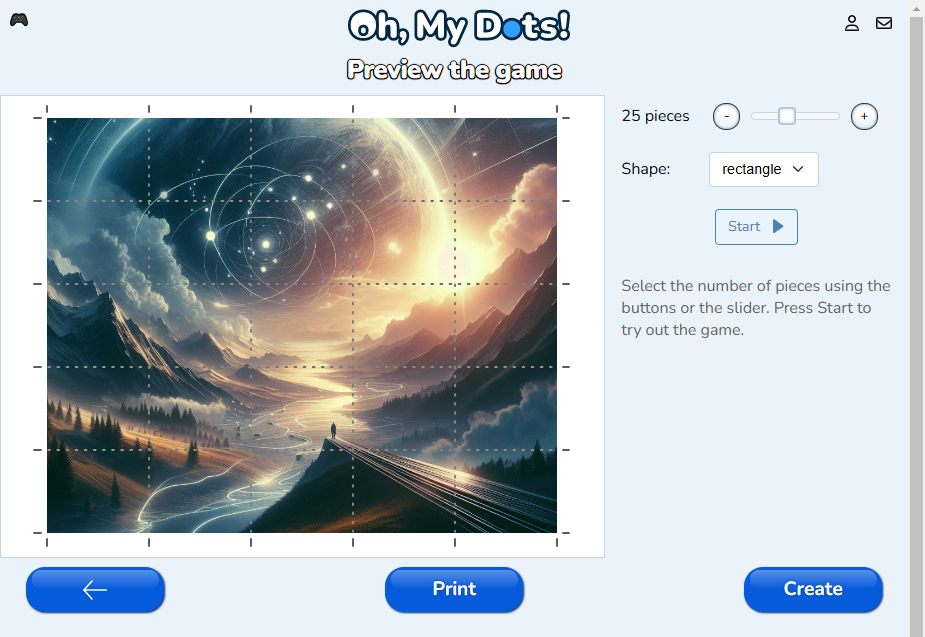
The Puzzle Creator offers customization of the puzzle’s piece format and number of pieces, both of which determine the difficulty of the puzzle. For piece format, you can choose between Rectangles, Triangles and Hexagons:

  • Rectangular Pieces: These are standard, evenly shaped pieces that create a classic tile-puzzle look. Rectangular pieces are usually more straightforward to align and work well for users who prefer a simpler puzzle layout.
  • Triangular Pieces: These pieces add an extra layer of challenge, as the triangular shape can make it harder to determine piece orientation. This option is great if you want a more advanced puzzle.
  • Hexagonal Pieces: Hexagonal pieces offer a unique and visually striking option for your puzzle. With six edges, these pieces can connect in more directions than rectangular or triangular shapes, creating a more intricate and engaging puzzle experience. Perfect for users who enjoy solving puzzles with a twist or want to experiment with a non-traditional layout.

You can then select the number of pieces you want, ranging from 4 to 100. Here’s how to choose the right number based on your desired puzzle difficulty:

  • 4 to 16 Pieces: Perfect for beginners or younger players, this range keeps the puzzle simple and easy to solve.
  • 20 to 40 Pieces: A moderate challenge for puzzle enthusiasts looking for more involvement without it being too difficult.
  • 50 to 100 Pieces: These settings provide a complex challenge suitable for seasoned puzzle solvers or adults seeking a fun mental exercise.

Adjusting the number of pieces and their shape creates an infinite variety of puzzle difficulties, allowing you to tailor the puzzle to suit any audience or age group.

Step 5: Press the Start Button to Try Out the Game

Before finalizing your puzzle, you can test it by pressing the Start button. This feature is an essential part of the design process, allowing you to preview the puzzle and try solving it yourself. Testing ensures the puzzle functions as expected and gives you a sense of the difficulty level.

During the trial phase, you can see how the pieces interact and whether they align smoothly. If the puzzle seems too easy or too difficult, you can adjust the number of pieces or change the shape before moving on. This interactive preview allows for real-time modifications and ensures that the puzzle meets your expectations.

Step 5: Print or Share the Puzzle

Once you’re satisfied with the puzzle’s layout and difficulty, Oh, my Dots! provides two options for making it accessible to others:

  • Print: By pressing the Print button, you can generate a printable version of the puzzle. This feature is excellent for in-person activities, classrooms, or gifting. The print option provides a hard copy that can be solved offline and is particularly beneficial for those who prefer physical puzzles.
  • Create and Share: If you want to share your puzzle digitally, click the Create button. This option allows you to upload the image to Oh, my Dots! and generates a unique link that can be shared across social media platforms. With a simple link, anyone can access the puzzle, making it ideal for sharing with friends, family, or a broader audience.

Benefits of Oh, my Dots! Puzzle Creator

  1. Free to Use: All of the features on Puzzle Generator are completely free. You can create, print, and share as many puzzles as you like without any cost.
  2. No Account Required: Unlike many online tools, Oh, my Dots! does not require users to create an account to access the puzzle creator. This makes the tool accessible and convenient, as you can start designing and sharing puzzles without going through a sign-up process.
  3. Variety and Flexibility: With options for customizing the number and shape of pieces, the Puzzle Creator offers a highly flexible puzzle experience. This versatility makes it suitable for all ages and skill levels.
Tips for Crafting Engaging Swap Puzzles

To maximize the enjoyment and challenge of your puzzle, keep the following tips in mind:

  • Choose a Clear and Distinct Image: Selecting a visually engaging image with unique patterns or color variations can make the puzzle more fun to solve.
  • Use a Theme: Consider creating themed puzzles for holidays, birthdays, or events. Seasonal images or themes can make the puzzle feel more meaningful and engaging for participants.
  • Test Different Settings: Experimenting with different piece formats and numbers of pieces helps you find the ideal balance between challenge and enjoyment for your audience.

Conclusion

Oh, my Dots’ puzzle creator is a versatile tool that enables anyone to create, print, and share puzzles with ease. The five-step process—selecting an image, cropping, choosing the piece format and number, testing, and sharing—gives users control over the puzzle’s design and difficulty. Best of all, the platform is entirely free, with no account required, so you can create puzzles instantly and share them widely.

Whether you’re an educator looking to create a classroom activity, a parent wanting an engaging activity for your child, or a puzzle enthusiast looking for a new challenge, Oh, my Dots! offers everything you need to create, print, and share custom puzzles that everyone can enjoy.

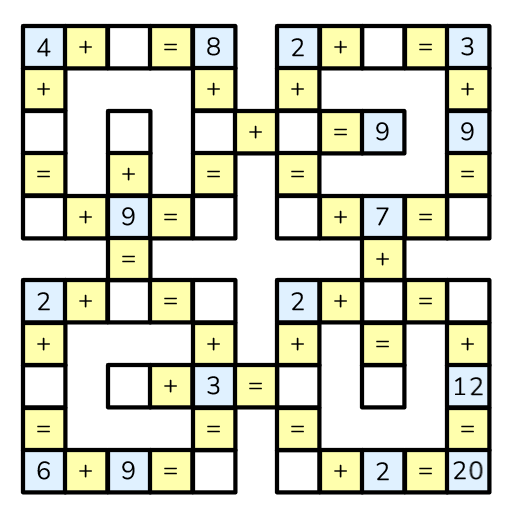
Cross Math puzzles are engaging crossword-like mathematical puzzles that require solvers to fill in missing numbers in equations arranged both horizontally and vertically within a grid-like structure. The Oh, my Dots! website offers an easy-to-use tool for creating these puzzles with customizable settings. Here’s a step-by-step guide on how to create your own Cross Math puzzle using the Oh, my Dots! Cross Math creator.

Step 1: Access the Cross Math Creator Tool

To begin creating your Cross Math puzzle, visit the Cross Math creator on Oh, my Dots! by navigating to the following link: https://www.ohmydots.com/creator-cross-math.html.

Step 2: Choose Your Puzzle Shape and Number of Problems

  1. Select the Number of Problems:
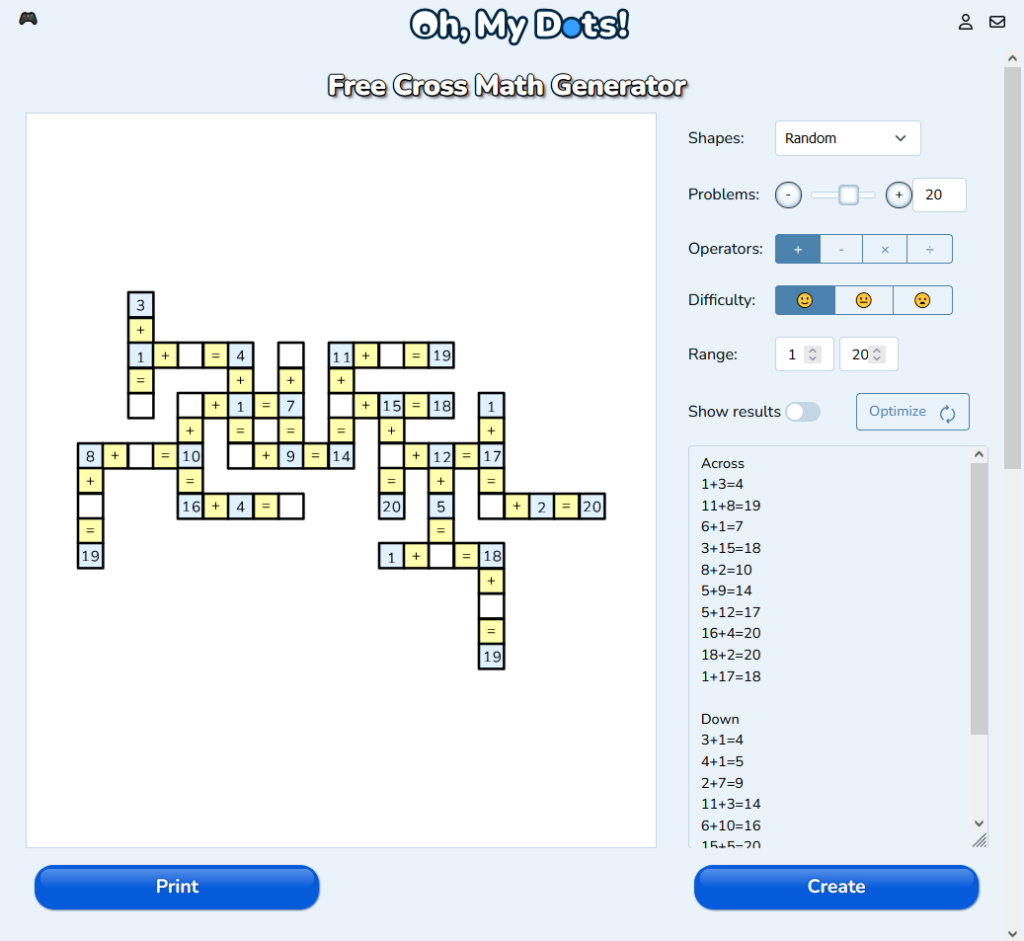
    • You can specify the number of math problems you want in your puzzle. Based on this number, the tool will generate a random shape that fits the selected count of problems.
  2. Choose a Predefined Shape:
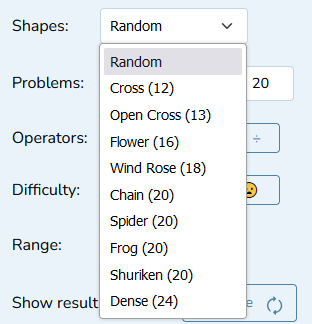
    • Alternatively, you can select from a variety of predefined shapes available on the site. Each shape presents a different layout and level of complexity, making each puzzle unique. The choice of shape affects how the equations intersect within the puzzle.

Step 3: Configure Puzzle Settings

Once your shape is selected, you can customize several settings to adjust the puzzle to your liking:

  1. Select Mathematical Operators:
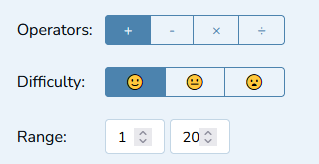
    • Choose which operators (addition, subtraction, multiplication, division) to include in your puzzle. For some complex shapes, selecting at least two operators is required to ensure the puzzle is solvable.
    • Experimenting with different combinations of operators can help achieve the desired complexity and variety in your puzzle.
  2. Set Difficulty Level:
    • The difficulty setting determines how many numbers will be hidden at the start of the puzzle:
      • Easy: Only one number per problem is left blank, making it easier to solve.
      • Medium: More numbers are blanked per problem, requiring solvers to perform more calculations and logical deductions.
      • Hard: A significant number of numbers are hidden across the problems, creating a highly challenging puzzle.
  3. Configure the Number Range:
    • Set the minimum and maximum numbers that can be used in your puzzle, ranging from 0 to 9999. Keep in mind that setting a very strict number range (e.g., limiting numbers to a small subset) may make it difficult or impossible for the tool to generate a solvable puzzle.
    • Broader number ranges allow for greater flexibility and variety in the numbers used, making the puzzle more dynamic.

Step 4: Generate and Optimize Your Puzzle

After configuring your settings:

  1. Generate the Puzzle:
    • As you adjust the options, the puzzle is automatically generated based on the selected parameters. There’s no need to press a “Generate” button; the changes take effect instantly as you modify the settings.
  2. Optimize the Puzzle:
    • Use the “Optimize” button to refine the puzzle. This feature attempts to regenerate the puzzle with a greater variety of numbers, enhancing the challenge and interest level.
    • The optimization process aims to create a puzzle that is balanced and uses a wider distribution of numbers within the defined range.

Step 5: Finalize and Share Your Puzzle

Once your puzzle is generated and optimized to your satisfaction, you have a couple of options for sharing and using your puzzle:

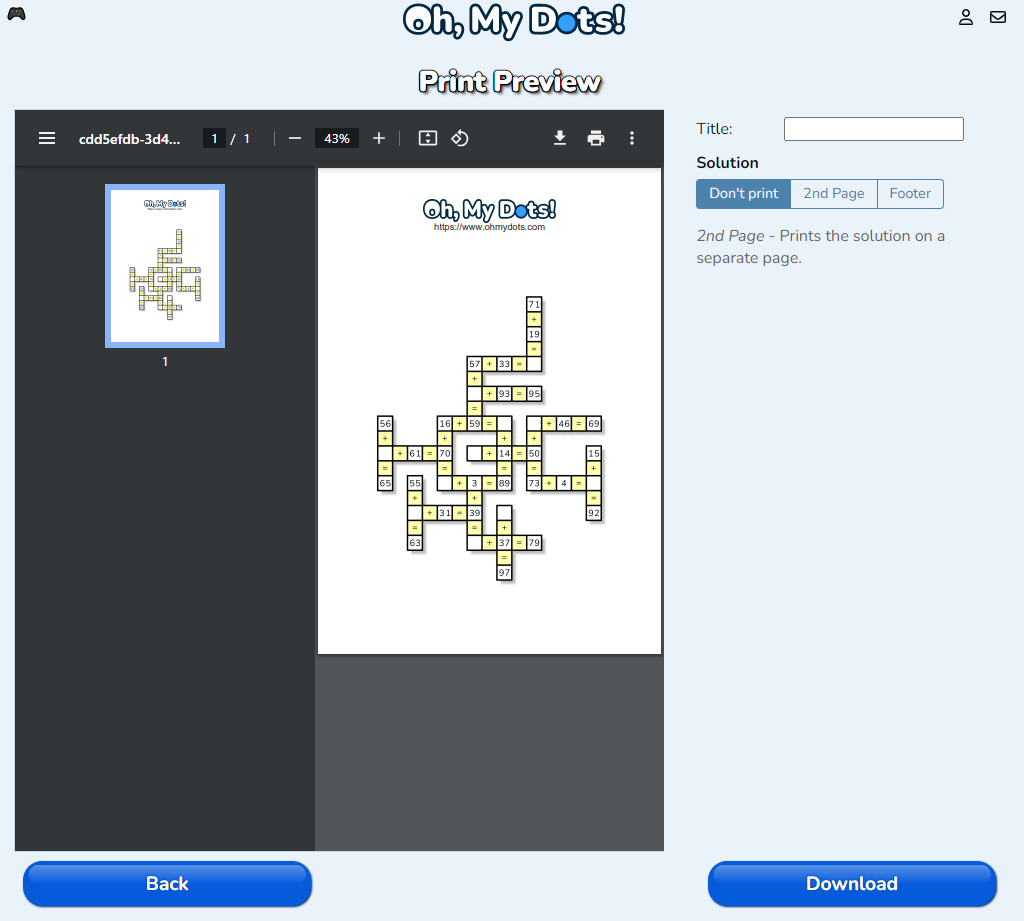
  1. Print the Puzzle:
    • Click the “Print” button to print a physical copy of your puzzle. This is a great option for offline play or for sharing with students, friends, or family.
  2. Create and Share Online:
    • Press the “Create” button to generate a unique link to your puzzle. This link allows others to play the puzzle online directly through their browser, making it easy to share your creation with a wider audience without needing to print.

Tips for Creating Effective Cross Math Puzzles

  1. Use a Balanced Range of Numbers:
    • Ensure that your number range is broad enough to allow the tool to generate a solvable puzzle. Avoid setting overly restrictive ranges that might limit the possible numbers too much.
  2. Adjust Difficulty Thoughtfully:
    • Tailor the difficulty to your intended audience. For beginners, choose the easy setting with fewer blanks. For more experienced players, opt for medium or hard difficulties to provide a greater challenge.
  3. Optimize for Variety:
    • Use the “Optimize” feature to create puzzles with a wide variety of numbers. This not only makes the puzzles more challenging but also more engaging as solvers encounter a diverse set of equations.
  4. Experiment with Different Shapes:
    • The choice of shape can significantly impact the puzzle’s complexity and visual appeal. Try out different predefined shapes to see which offers the most interesting puzzle layout.
  5. Test Your Puzzle:
    • Before sharing, it’s a good idea to solve the puzzle yourself to ensure it works as intended and provides the correct level of challenge. This step helps catch any issues with solvability or difficulty balance.

Conclusion

Creating a Cross Math puzzle using Oh, my Dots! is an enjoyable and straightforward process that allows you to customize the puzzles to match your preferences and the skill levels of your audience. By carefully selecting shapes, adjusting settings, and optimizing your puzzle, you can create engaging math challenges that are perfect for educational purposes or just for fun. Whether printing your puzzles or sharing them online through unique links, Oh, my Dots! makes it easy to bring your Cross Math creations to life. Dive in and explore the endless possibilities for crafting your own puzzles today!

Connect-the-dots games have long been a beloved pastime for children and adults alike, offering a simple yet engaging way to pass the time while stimulating cognitive development. The website “Oh, My Dots!” brings a modern twist to this classic activity by providing a versatile platform where users can create, play, and print custom connect-the-dots puzzles. In this article, we will explore the features and functionalities of “Oh, My Dots!” and provide a detailed guide on how to create your own connect-the-dots games.

Overview of “Oh, My Dots!”

“Oh, My Dots!” is a free online platform that offers a wide array of puzzles, including connect-the-dots, mazes, and crosswords. The site is user-friendly and accessible, allowing users to enjoy unlimited free games without the need for an account or subscription. With a variety of difficulty levels and themes, “Oh, My Dots!” caters to players of all ages and skill levels.

Key Features of “Oh, My Dots!”

  1. Game Creation: The platform allows users to create their own connect-the-dots games by uploading images and customizing the dots. This feature is perfect for teachers, parents, and puzzle enthusiasts who want to create personalized puzzles.
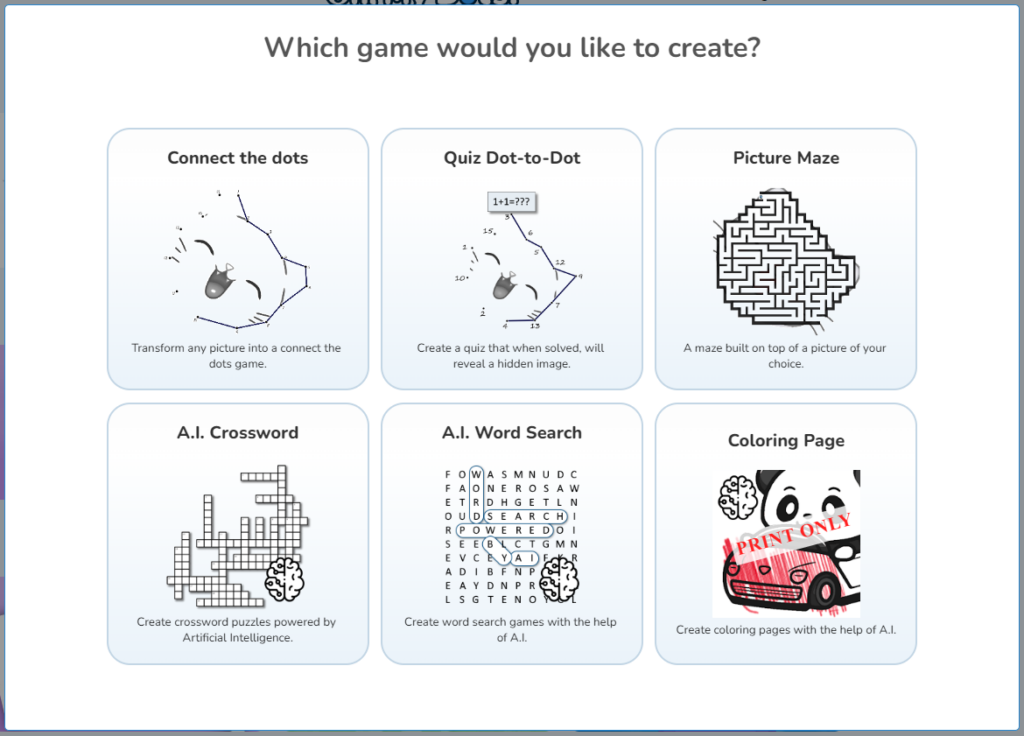
  2. Variety of Puzzles: In addition to connect-the-dots, users can create and play mazes, AI-powered crosswords, and word search puzzles.
  3. Accessibility: All games are free to play online, and users can print the puzzles for offline use. This makes the platform ideal for both educational and recreational purposes.
  4. Customization Options: Users can customize their puzzles by adjusting the difficulty level, choosing different styles, and adding personal touches to their creations.

Creating Connect-the-Dots Games

Creating your own connect-the-dots game on “Oh, My Dots!” is a straightforward process that can be done in just a few steps. Here’s a detailed guide to help you get started.

Step 1: Visit the Website

To begin, navigate to the “Oh, My Dots!” website. You can access the connect-the-dots generator directly through this link​ (Oh My Dots!)​.

Step 2: Upload an Image

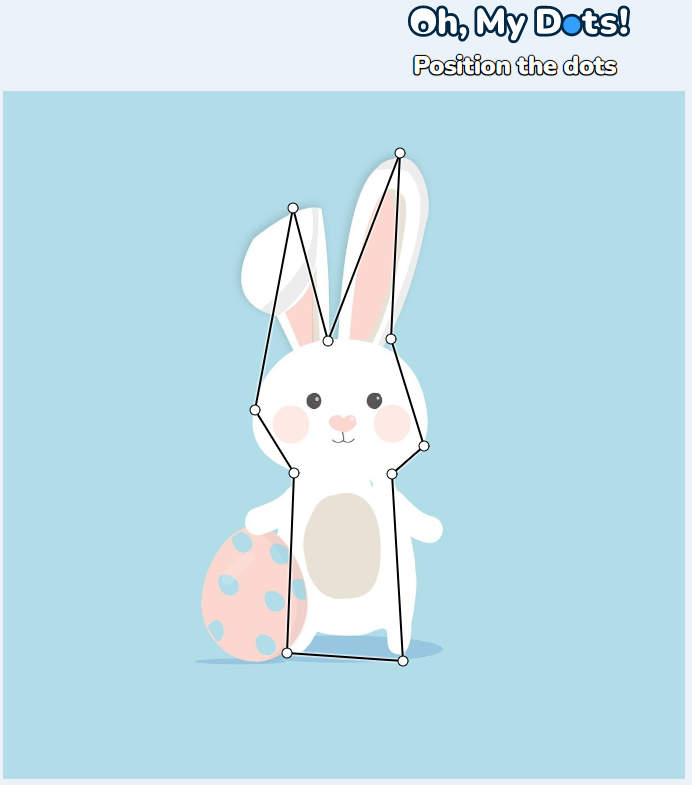
Once you’re on the connect-the-dots generator page, the first step is to upload an image that you want to transform into a connect-the-dots puzzle. You can either click the “Browse” button to select an image from your device or drag and drop an image into the designated area.

Step 3: Draw the Dots

Now comes the fun part—drawing the dots! Click on the image to place dots along the outline of the shape or object in your image. You can add as many dots as you need to create a challenging and engaging puzzle. If you make a mistake, you can easily undo or redo your actions. You also have the option to remove the color from the image to make the dots stand out more clearly.

Step 6: Configure the Game

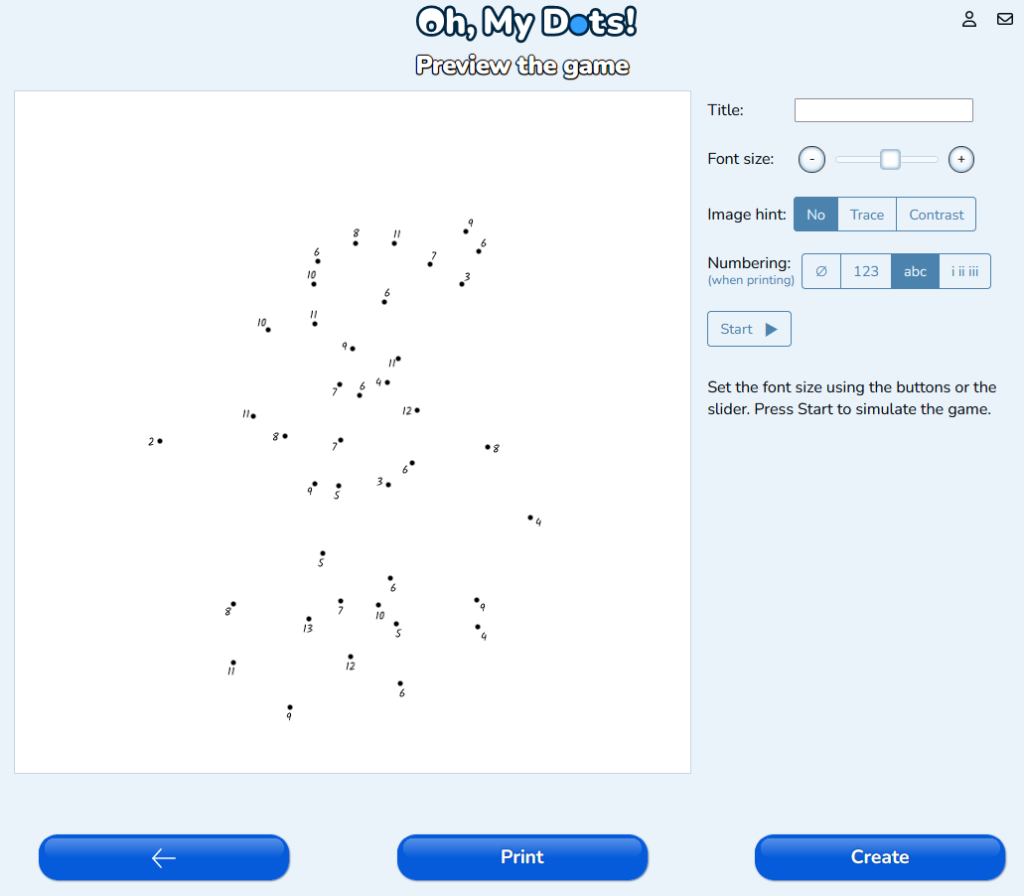
Once you’ve placed all the dots, you can configure various aspects of your game. You can choose the type of numbering (e.g., numbers, alphabet, Roman numerals) and adjust the font size. You can also add a title to your game and select an image hint style (e.g., no trace, contrast). Additionally, you can set up a custom sequence for the dots, such as times tables or prime numbers, to add an educational element to the puzzle.

Step 6: Preview and Create

Before finalizing your game, you can preview it to see how it will look and make any necessary adjustments. Once you’re happy with the configuration, click “Create” to generate your connect-the-dots game. You can then choose to play the game online, print it, or download it for offline use.

Benefits of Creating Connect-the-Dots Games

Creating connect-the-dots games on “Oh, My Dots!” offers numerous benefits for both creators and players:

  1. Educational Value: Connect-the-dots games are an excellent tool for teaching numbers, letters, and sequences. They help children develop counting skills, hand-eye coordination, and fine motor skills.
  2. Creativity: The platform allows users to express their creativity by designing unique puzzles. This can be especially beneficial for teachers who want to create custom educational materials or parents looking for fun activities for their children.
  3. Cognitive Development: These puzzles stimulate cognitive development by encouraging players to recognize patterns and think critically.
  4. Engagement: Custom puzzles can be tailored to match the interests of the players, making them more engaging and enjoyable.
  5. Accessibility: The ability to print puzzles makes them accessible to a wider audience, including those who prefer offline activities.

Tips for Creating Engaging Connect-the-Dots Games

To create engaging and enjoyable connect-the-dots games, consider the following tips:

  1. Choose Interesting Images: Select images that are visually appealing and have clear, recognizable shapes. This will make the puzzle more enjoyable to solve.
  2. Adjust Difficulty Levels: Depending on the age and skill level of the players, adjust the number of dots and the complexity of the image. For younger children, simpler images with fewer dots are ideal. For older players, increase the number of dots and use more intricate images.
  3. Add Educational Elements: Incorporate educational sequences such as times tables, prime numbers, or alphabetical order to add a learning component to the puzzle.
  4. Provide Clear Instructions: Make sure the instructions for solving the puzzle are clear and easy to understand. This will ensure that players can enjoy the game without confusion.
  5. Test Your Puzzle: Before sharing your puzzle, test it yourself to ensure that it is solvable and enjoyable. Make any necessary adjustments to improve the player experience.

Conclusion

“Oh, My Dots!” is a versatile and user-friendly platform that allows users to create, play, and print custom connect-the-dots games. With a wide range of customization options and an easy-to-use interface, it’s an excellent tool for teachers, parents, and puzzle enthusiasts. By following the steps outlined in this article, you can create engaging and educational connect-the-dots games that provide hours of fun and cognitive stimulation. Whether you’re looking to entertain children, create educational materials, or simply enjoy a classic pastime, “Oh, My Dots!” has everything you need to unleash your creativity and enjoy the world of puzzles.

In today’s exploration of the fascinating world of art and imagination, we delve into the realm of personalized coloring pages, demonstrating how effortlessly you can create and print your unique masterpieces using the Oh, My Dots! website. Oh, My Dots!, a free platform harnessing the power of artificial intelligence, empowers users to craft incredible games and activities. Join us on this colorful journey as we navigate the simple yet captivating process of turning your chosen images into personalized coloring pages.

Getting Started with Oh My Dots

The first step in your artistic adventure is to open your web browser and visit the Oh My Dots website at www.ohmydots.com. Once there, hit the ‘Create’ button and choose ‘Coloring Page.’ This action initiates the free “Coloring Page Generator”, your gateway to transforming ordinary images into delightful coloring pages.

Selecting and Cropping Your Image

Now, click on the large white rectangle to choose an image from your device. Alternatively, you can drag an image directly from the internet into the designated ‘Drop Zone.’

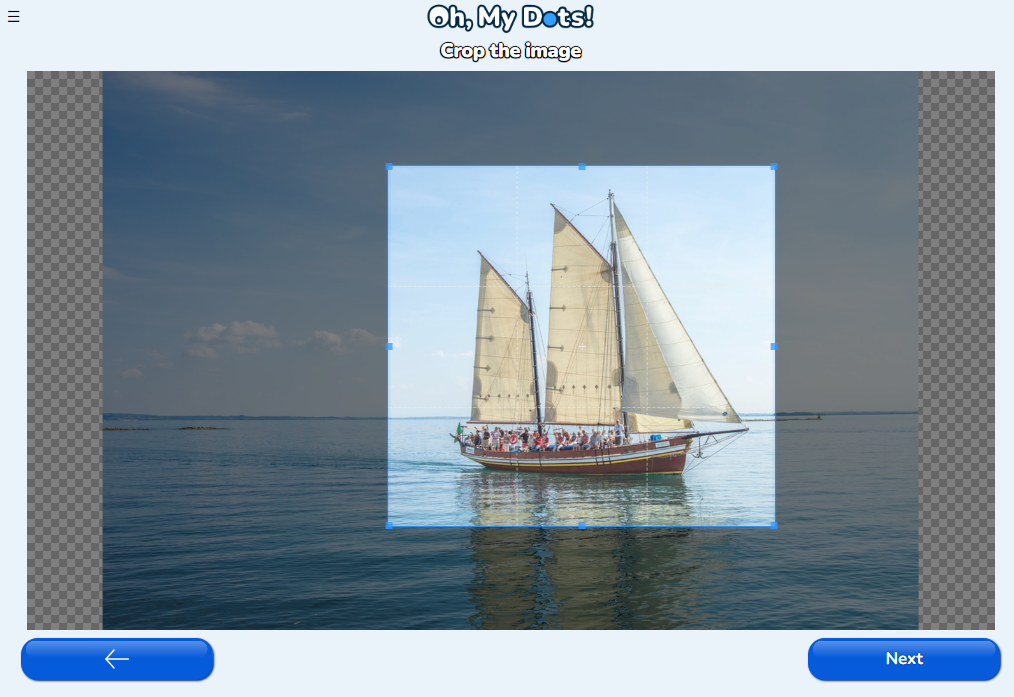
After selecting your image, customize its size by cropping it to your desired dimensions. Once satisfied, click “next” to proceed to the next stage of the creative process.

Choosing Coloring Modes

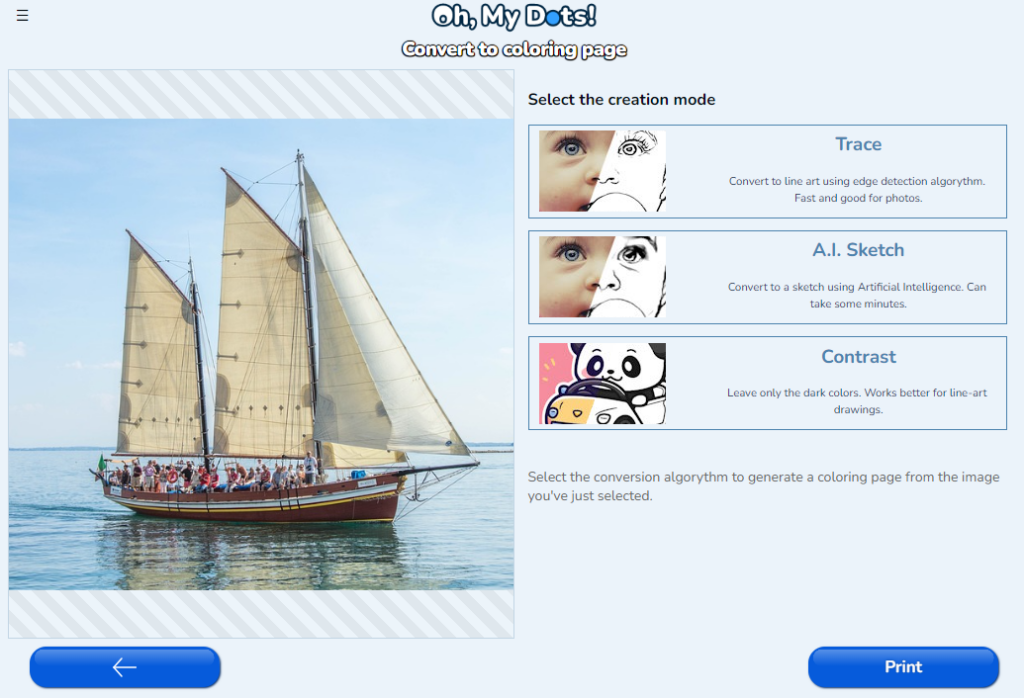
The Coloring Page Generator offers three distinct modes to generate your coloring page: Trace Mode, AI Sketch, and Contrast Mode.

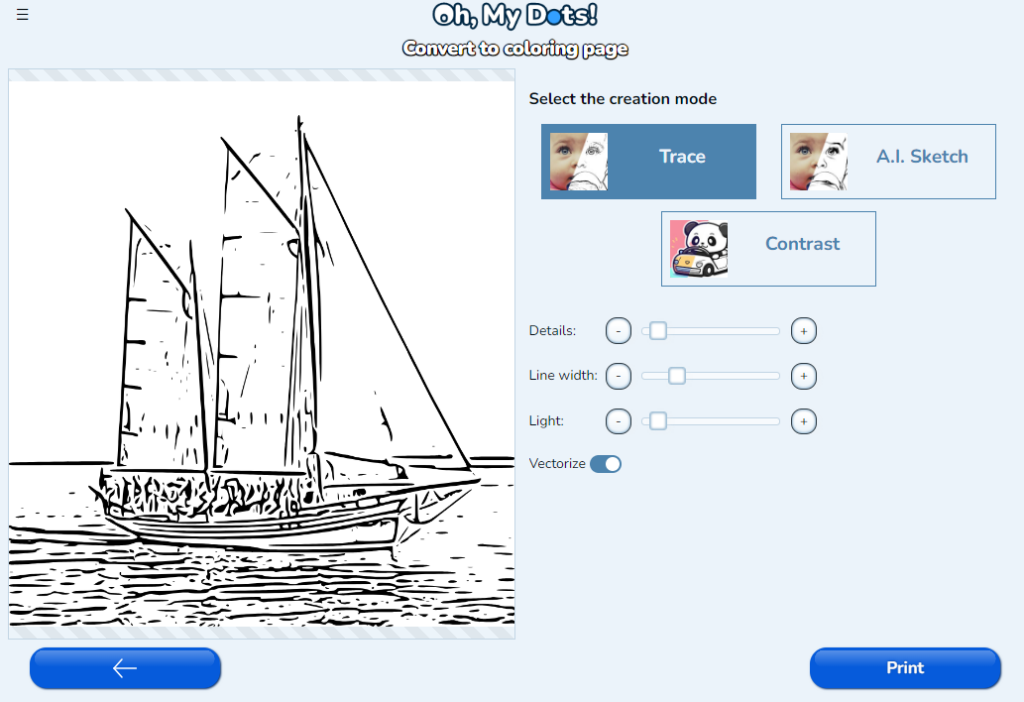
  1. Trace Mode: Utilizing a computer vision algorithm, this mode traces the contours of the image.
  2. AI Sketch: Similar to Trace Mode, AI Sketch employs an artificial intelligence model to create a realistic-looking line drawing.
  3. Contrast Mode: Ideal for clip art pictures or drawings, Contrast Mode retains dark colors while eliminating lighter ones.

Experiment with each mode and choose the one that best suits your image. Moreover, each mode comes with additional configurations. Adjust the sliders and toggle the switches to witness how they influence the final result, allowing for a truly customized coloring page.

ModeControlDescription
AllVectorizeConverts from a grayscale image into a black and white vector image. Although you might lose some of the fine grain details, vectors can scale without losing quality, which make them particularly suitable for printing.
Trace and ContrastDetailsIncrease or decrease the level of details in the final image
TraceLine widthSets the width of the trace lines
TraceLightAdds or removes light to the image before the trace algorithm. This might help increasing or decreasing the details after tracing.
A.I. SketchSharpenSharpens the image making it less blurry

Printing Your Masterpiece

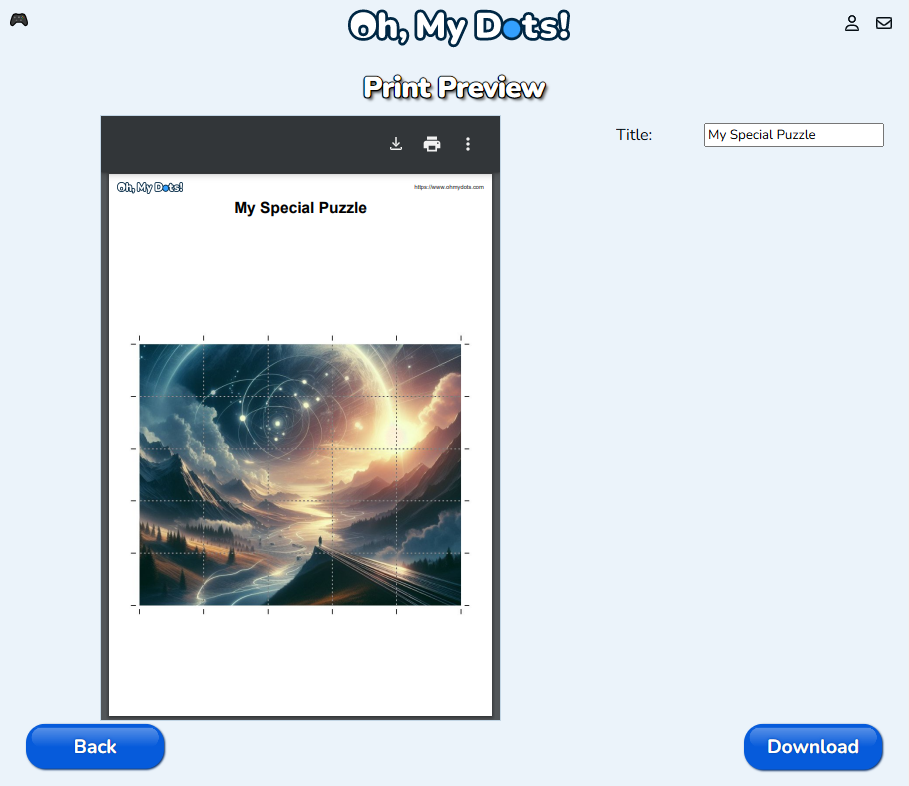
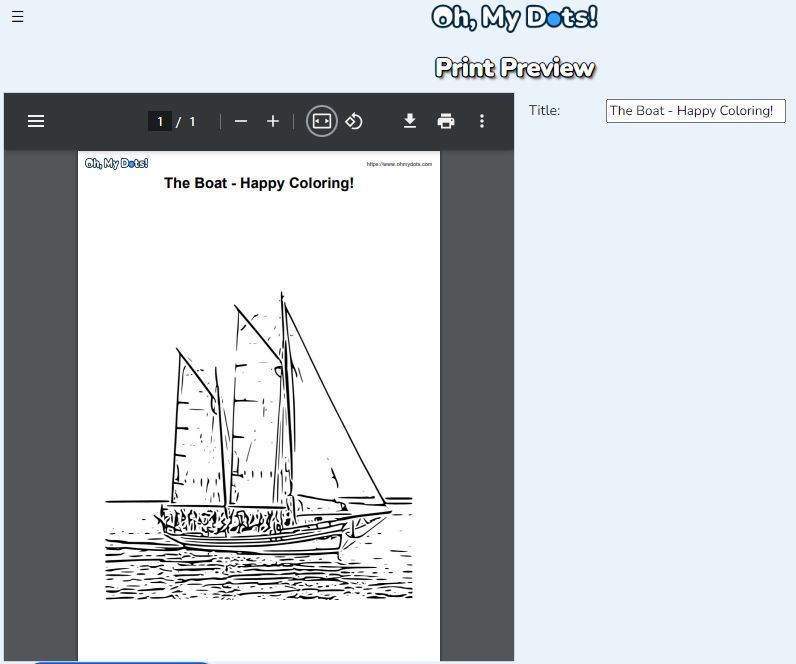
With your personalized coloring page ready, it’s time to bring it into the physical realm. Click on the ‘Print’ button to open the print preview. In this stage, you still have the opportunity to change the page title.

Conclusion

In just a few simple steps, you’ve unleashed your creativity and transformed ordinary images into beautiful coloring pages, all thanks to Oh My Dots. This user-friendly platform opens a world of possibilities, making art accessible to everyone. So, armed with your favorite coloring tools, dive into this relaxing adventure and bring your imagination to life on the pages you’ve crafted. The fusion of technology and creativity has never been more accessible, and Oh My Dots is your gateway to exploring the endless realms of artistic expression.

Word search puzzles have been a classic pastime for generations, offering a delightful blend of challenge and relaxation. With the advent of technology, creating personalized word search games has become easier than ever. Oh, my Dots! is a unique online word search generator that stands out in the crowd by employing artificial intelligence to suggest words from any given topic. In this article, we’ll guide you through the process of creating a word search game using this innovative platform.

Creating a Word Search Game using A.I.

1. Visit the Word Search Generator

To begin your word search creation journey, navigate to the Oh, my Dots! Word Search Generator. One of the key advantages of this platform is that it offers its services completely free of charge, and there’s no need for any registration.

2. Choose a Theme and let A.I. suggest the words

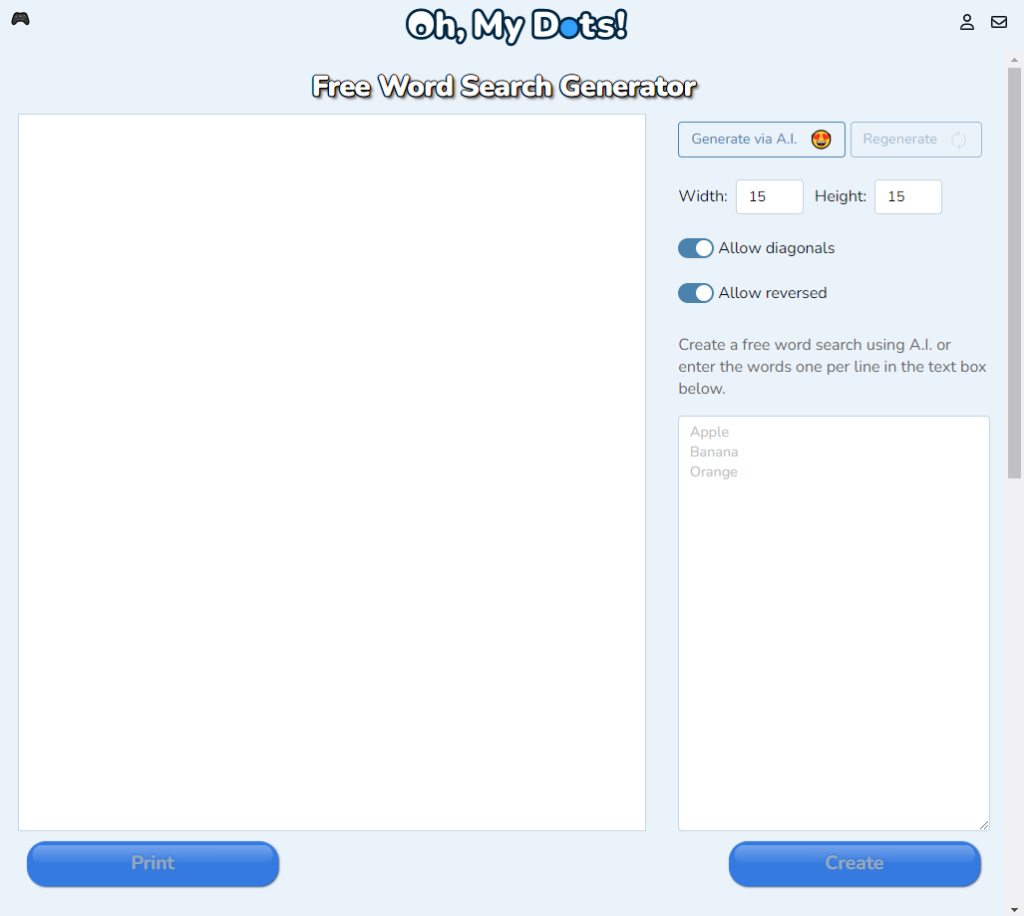
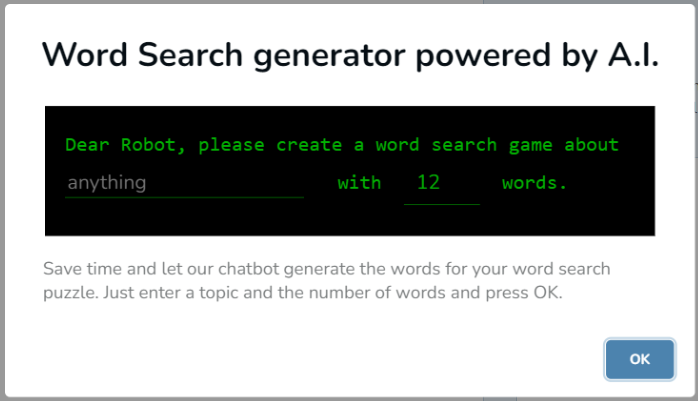
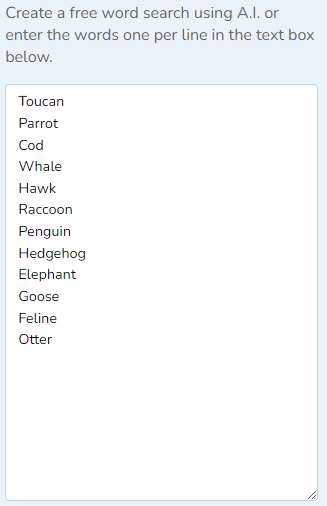
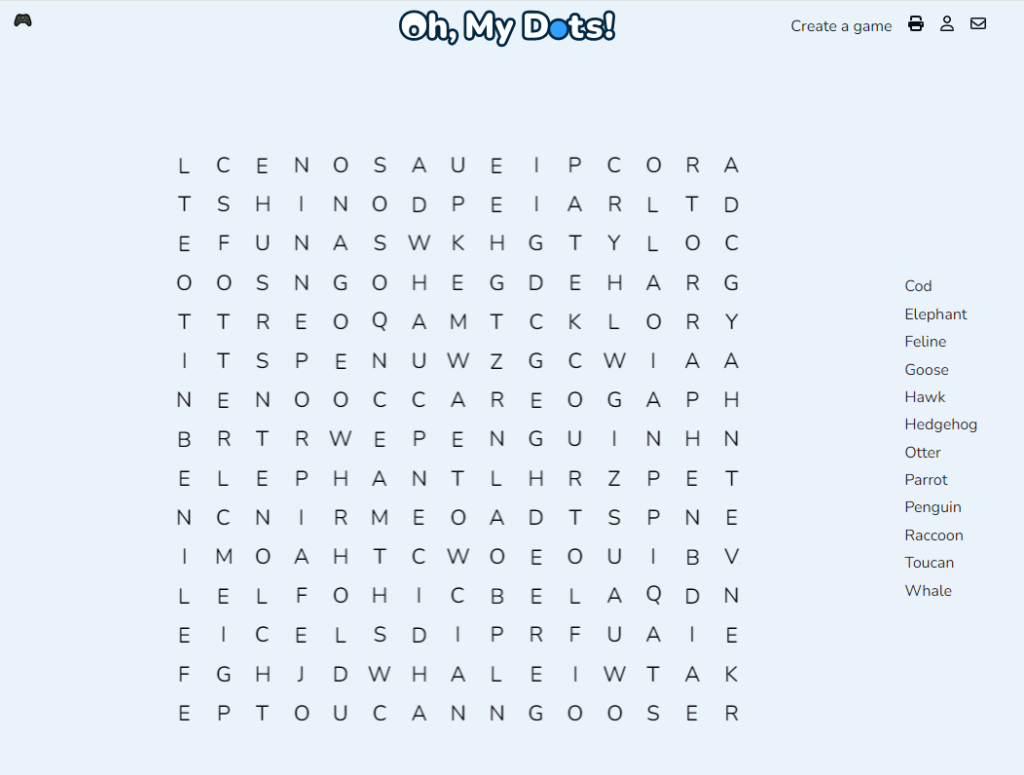
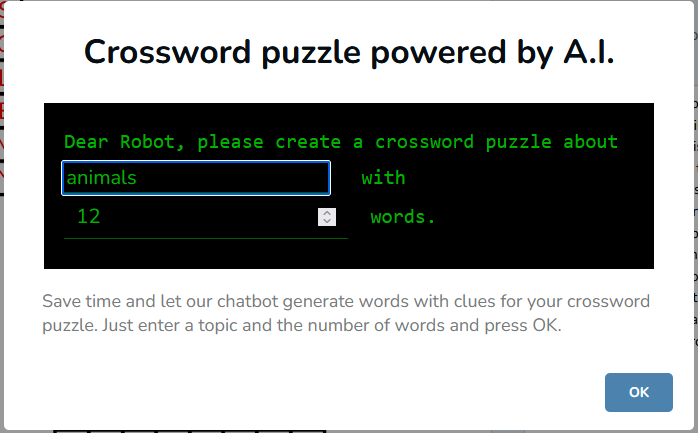
Oh, my Dots! unique AI assistance allows you to create a word search game based on a theme or topic. Just press Generate via A.I. button, enter a theme, select the number of words and press OK. The AI engine will suggest and populate a list of words that match your theme.

3. Input the Word List

Alternatively to letting A.I. suggest the words for you, you can also input the list of words in the designated area. You can also mix both: let A.I. suggest the words and then add, edit or delete the words. The Word Search Creator gives you full flexibility to the things the way you want.

4. Customize Puzzle Settings

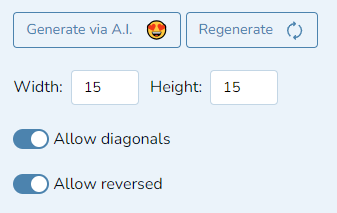
Tailor your word search game to your preferences by adjusting various settings. Oh, my Dots! allows you to set the size of the puzzle grid, making it suitable for different levels of difficulty. You can also switch off diagonals and reversed words (written from right to left) to make the game easier. Press the Regenerate button to reshuffle the words in the grid.


5. Preview Your Puzzle

Before finalizing your creation, take advantage of the preview feature to ensure that everything looks just right. The platform provides a real-time preview of your word search, allowing you to make any necessary adjustments.

6. Print or Play Online

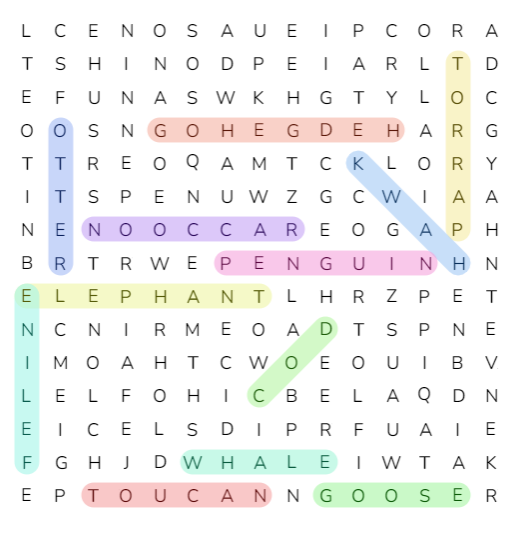
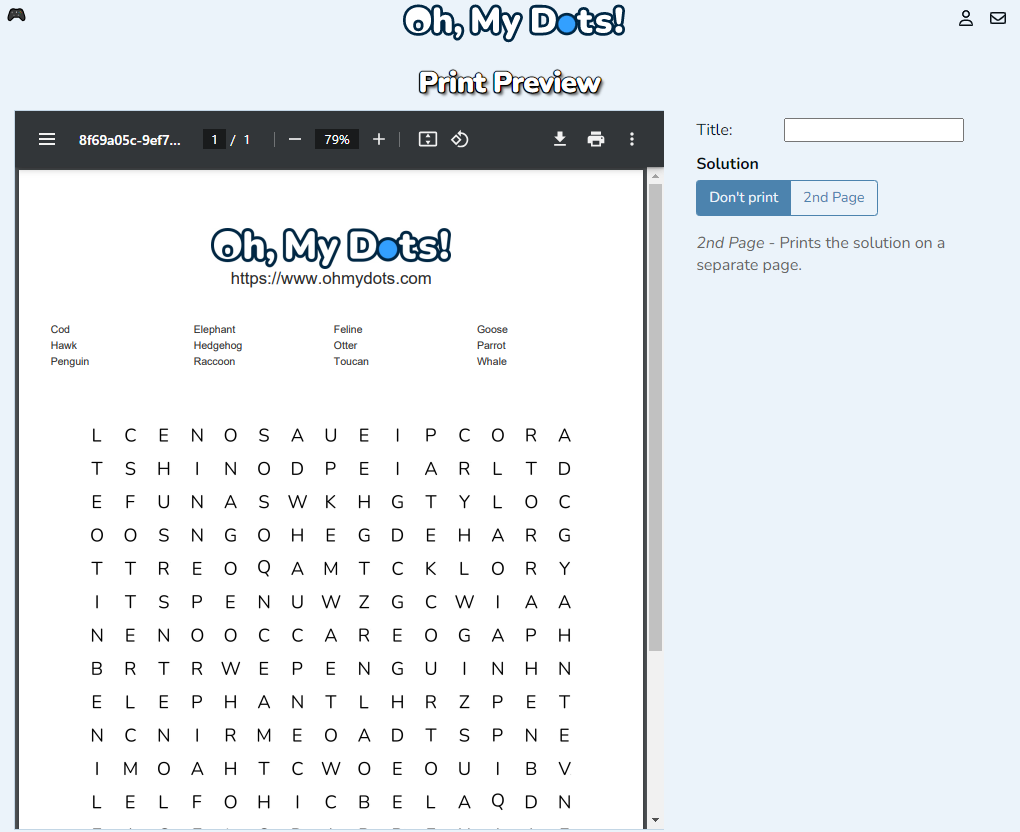
Once satisfied with your puzzle, you have the option to either print it out for a traditional experience or share it online for others to play. Press the button Print to preview and download your game as a printable worksheet, or press the button Create to create a free online playable game.

Result

Benefits of Using Oh, my Dots! Word Search Generator

  1. AI-Powered Word Suggestions: The artificial intelligence employed by “Oh, my Dots!” takes the hassle out of brainstorming word lists. It suggests relevant words based on your chosen theme, ensuring that your puzzle is not only entertaining but also well-crafted.
  2. Free and User-Friendly: The platform’s commitment to providing free services without requiring user registration makes it an attractive choice for puzzle enthusiasts. The user-friendly interface further enhances the overall experience, making word search creation accessible to all.
  3. Versatility: Whether you’re creating a puzzle for educational purposes or a themed party, Oh, my Dots! accommodates a wide range of settings to adjust the game difficulty to your target audience.
  4. Print or Play Online: The flexibility to either print your puzzle or share it online adds to the convenience of “Oh, my Dots!” This dual functionality ensures that your word search can be enjoyed in various settings, from classrooms to virtual game nights.
  5. Real-Time Preview: The ability to preview your word search puzzle in real-time allows for seamless adjustments. This feature is particularly valuable for perfectionists who want to ensure that every aspect of their creation meets their standards.

Cognitive and Educational Benefits of Word Search Games

While word search games are undeniably enjoyable, their benefits extend beyond mere entertainment. Engaging in these puzzles can have positive effects on cognitive function and offer valuable educational advantages. In this chapter, we’ll delve into the cognitive and educational benefits of word search games, shedding light on why these puzzles are more than just a fun pastime.

  1. Enhanced Vocabulary: Word search games are an excellent tool for expanding one’s vocabulary. As players search for words within the grid, they reinforce their knowledge of various terms. This process of repetition aids in the retention and recall of words, contributing to a richer and more diverse vocabulary over time.
  2. Improved Focus and Concentration: Solving a word search puzzle demands concentration and attention to detail. Players must stay focused on the task at hand, scanning the grid for hidden words. This heightened level of concentration can translate into improved focus in other aspects of life, whether it be in the classroom, at work, or during daily activities.
  3. Strengthened Cognitive Skills: Word search games serve as a mental workout, challenging and enhancing cognitive skills. The process of locating words involves visual scanning, pattern recognition, and problem-solving, all of which stimulate various areas of the brain. Regular engagement in such activities can contribute to the maintenance of cognitive function, particularly as individuals age.
  4. Educational Reinforcement: Word search puzzles are widely used in educational settings to reinforce learning. Teachers often incorporate these games into lesson plans to review and reinforce subject-specific vocabulary. Whether it’s science, history, or language arts, word search games provide a dynamic and engaging way for students to revisit and solidify their understanding of key terms.
  5. Alleviation of Stress: Beyond their educational benefits, word search games also serve as a relaxing and stress-relieving activity. The focused yet calming nature of searching for words can help individuals unwind and take a mental break from the pressures of daily life. This stress-alleviating aspect makes word search games a versatile tool for both education and leisure.
  6. Enhanced Pattern Recognition: Word search puzzles require players to identify patterns within a grid of letters. This constant exercise in pattern recognition contributes to the development of this cognitive skill. Improved pattern recognition can have positive implications in various areas, from problem-solving in everyday situations to more complex analytical tasks.
  7. Social and Interactive Learning: Word search games can be a social activity, fostering interactive learning experiences. Whether played in a classroom setting or as part of a family game night, these puzzles encourage collaboration and discussion. Interacting with others during the puzzle-solving process can enhance communication skills and create a positive, shared learning environment.
  8. Encourages Lifelong Learning: The diverse themes and topics available in word search games make them suitable for learners of all ages. The variety of subjects covered in these puzzles promotes a culture of lifelong learning, encouraging individuals to explore new topics and stay curious about the world around them.

Conclusion

Creating a personalized word search game has never been more accessible and enjoyable, thanks to “Oh, my Dots!” This innovative platform not only offers a plethora of customization options but also harnesses the power of artificial intelligence to simplify the puzzle creation process. Whether you’re a teacher looking for educational activities or an event organizer planning a themed gathering, “Oh, my Dots!” empowers you to craft engaging and entertaining word search puzzles effortlessly. So, dive into the world of word search creation with “Oh, my Dots!” and let your imagination run wild.

In the ever-evolving landscape of online education and entertainment, Oh, My Dots! has taken a giant leap forward with the introduction of its groundbreaking Audio Crossword creator. This innovative tool brings a new dimension to learning and entertainment, offering an engaging way for individuals of all ages to enhance their spelling skills and for foreigners to learn English, all while having a great time. The best part? It’s completely free, with no subscriptions required. In this article, we will explore the many facets of this exciting development and how it can benefit learners and enthusiasts alike.

Unveiling the free Audio Crossword generator

Imagine a crossword puzzle where you don’t rely on written hints to fill in the grid, but instead, you listen to words and spell them out. That’s precisely what Oh, My Dots! has brought to life with its Audio Crossword creator. This unique take on a classic pastime has already garnered attention for its potential to revolutionize spelling education and language learning.

A Game for All Ages

The Audio Crossword creator is designed to be accessible and enjoyable for children of all ages. Whether you’re a parent looking for a fun way to help your child develop their spelling skills or a teacher seeking an engaging teaching tool, this game has something to offer. It combines learning and entertainment seamlessly, making it an ideal choice for both educational and recreational purposes.

Bridging Language Barriers

Learning a new language can be a challenging endeavor, but the Audio Crossword creator is here to simplify the process. This tool is not only about spelling but also serves as an excellent aid for foreigners who want to learn the English language. By listening to and spelling out English words, learners can improve their pronunciation, vocabulary, and overall language comprehension.

The Gift of Freedom: It’s Free!

One of the standout features of Oh, My Dots!’s Audio Crossword creator is that it’s entirely free to use. In an era where many educational and gaming platforms are adopting subscription-based models, this is a refreshing departure. Users can access the game without any financial commitment, making it an inclusive and accessible resource for everyone.

No Subscriptions Required

In addition to being free, the Audio Crossword creator does not require users to sign up for a subscription. This means there are no hidden costs or commitments involved. Users can jump straight into the world of spelling and language learning without any barriers, making it a hassle-free experience for all.

Powered by A.I.: Your Personal Word Generator

One of the standout features of this innovative tool is its integration with artificial intelligence (A.I.). Users can ask the A.I. to generate a list of words based on any subject or theme. This means that the learning experience can be tailored to specific interests or educational needs. Whether you want to focus on science-related terms, everyday vocabulary, or even pop culture references, the Audio Crossword creator has you covered.

How Does It Work?

Now that we’ve explored the features of this game-changer, let’s dive into how it works. The Audio Crossword creator is designed to be user-friendly and intuitive.

Game Setup

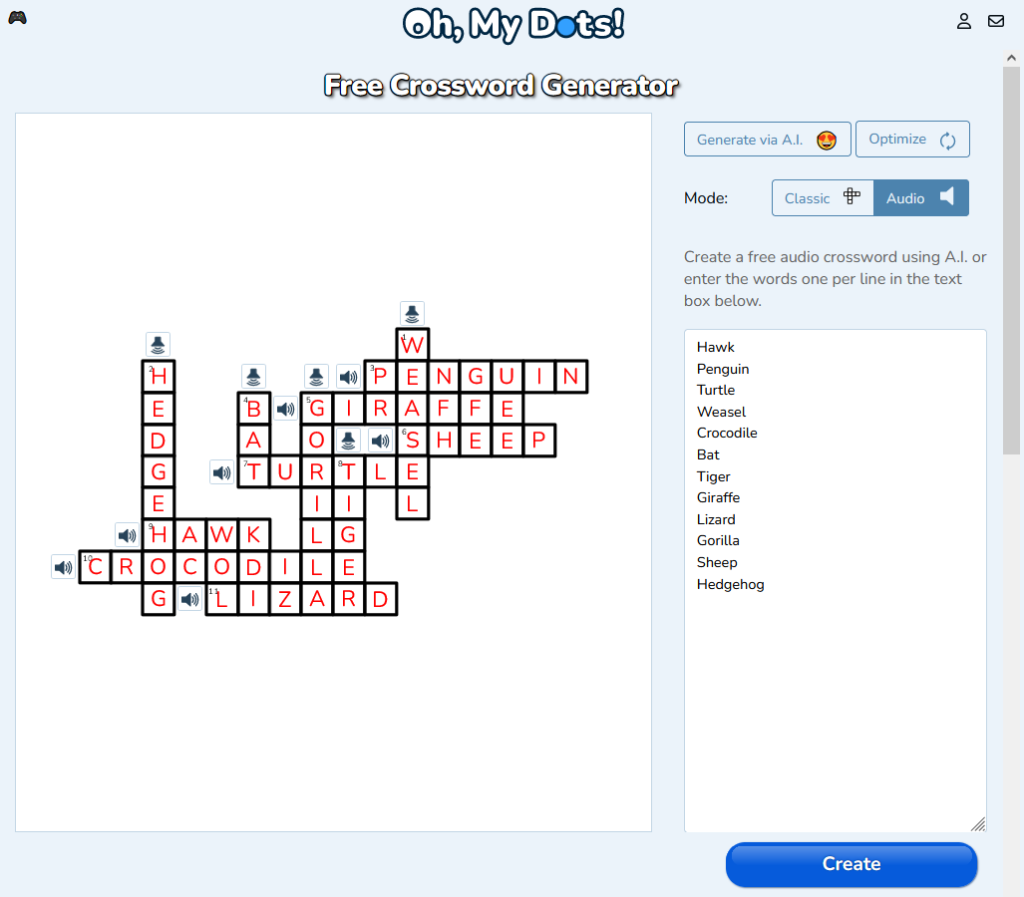
To get started, users simply visit the Oh, My Dots! website and access the Audio Crossword creator. From there, they can select the Audio mode and start typing the words for the crossword. Alternatively, users can press the button Generate with A.I. to create a list of words out of a given theme or subject powered by artificial intelligence.

A.I. helps also to create a crossword with as many intersections as possible, which decreases the difficulty. To use this feature the user has to press the button Optimize.

Once happy the game outcome, the user can press the button Create, to create the generate a personalized and unique link to the created game.

Listening and Spelling

To start the game, the player has to simply navigate to the game. By clicking on the speaker button or simply navigating to a word, the player can listen to audio recordings of words and write them down in the crossword grid. Users can listen to the word as many times as needed before attempting to spell it.

Fun and Rewards

Learning through play is a proven method, and the “Audio Crossword” creator excels in this aspect. Users are rewarded for their efforts with points, badges, and achievements, adding a competitive and fun element to the learning process. This gamification keeps players engaged and motivated as they strive to improve their spelling and language skills.

Benefits Galore

The Audio Crossword creator from Oh, My Dots! offers a multitude of benefits for various user groups. Here are some of the key advantages:

For Children:

  1. Enhanced Spelling Skills: Children can improve their spelling skills in an enjoyable and interactive manner.
  2. Boosted Vocabulary: Exposure to new words and themes enriches their vocabulary.
  3. Improved Listening Skills: The audio format hones their ability to listen and comprehend spoken words.
  4. Educational Entertainment: Learning becomes a fun adventure, encouraging kids to engage with the content.

For Parents and Teachers:

  1. Effective Teaching Tool: Parents and teachers can use the “Audio Crossword” creator to make learning spelling and language more engaging.
  2. Customized Learning: Tailor crossword puzzles to specific educational needs or classroom themes.
  3. Progress Tracking: Monitor children’s progress and identify areas that require further attention.
  4. Free and Accessible: No need for costly subscriptions; the tool is readily available.

For English Learners:

  1. Language Comprehension: Improve pronunciation and language comprehension by listening to and spelling English words.
  2. Vocabulary Expansion: Build a solid English vocabulary through themed crossword puzzles.
  3. Self-Paced Learning: Learn at your own pace, with no pressure or financial commitments.
  4. Enhanced Engagement: The game format makes language learning enjoyable and less daunting.

Conclusion

Oh, My Dots! has truly hit the mark with its Audio Crossword creator, a game-changing tool that combines the best of education and entertainment. Whether you’re a child looking to master spelling, a parent or teacher seeking an engaging teaching aid, or an English learner eager to enhance your language skills, this free and subscription-free resource has something for everyone.

With its A.I.-powered word generation and gamified learning approach, the Audio Crossword creator is poised to revolutionize the way we learn and enjoy language. So, why not embark on a spelling adventure today? Head over to Oh, My Dots! and experience the future of learning for yourself. It’s time to spell your way to success! 🎉🔤🌟

In the vast realm of artistic expression, there exist countless techniques and styles that continue to captivate and inspire audiences. One such technique that has gained prominence and appreciation in recent years is dot drawing. Often confused with its distant relative, dot-to-dot, dot drawing is an intricate and captivating art form that relies on precision, patience, and a keen eye for detail.

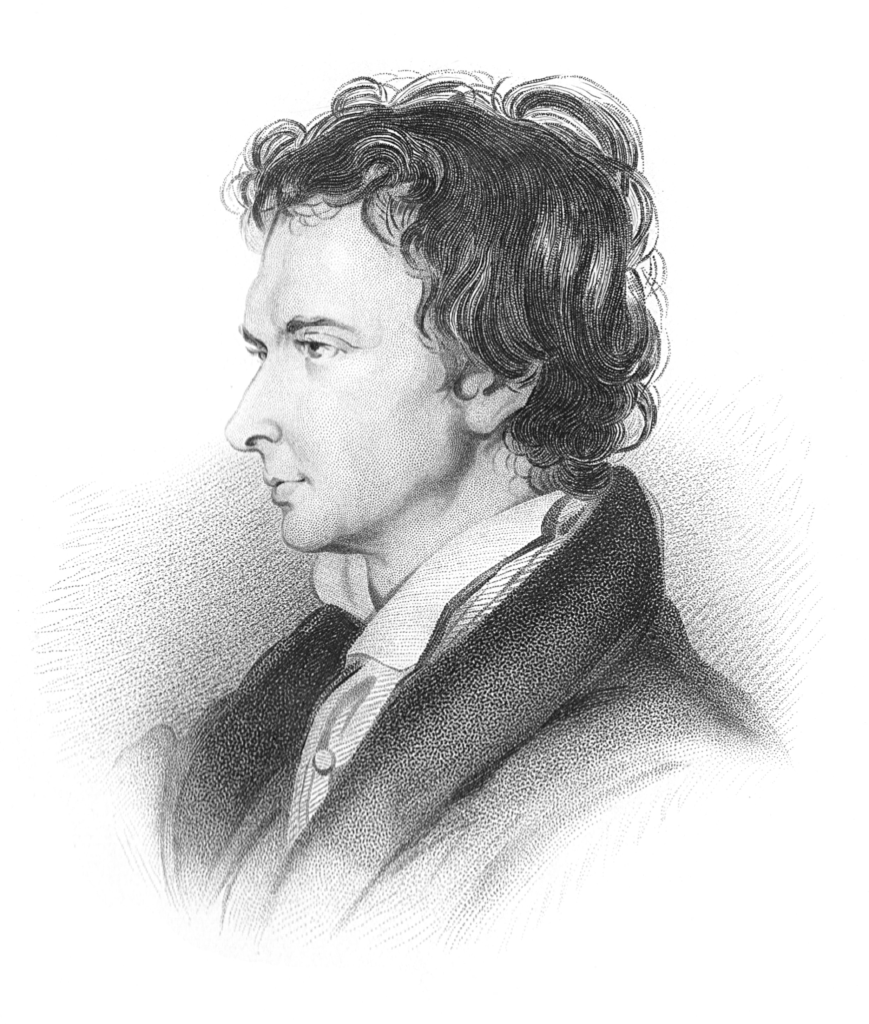
Portrait of William Hazlitt, derived from a sketch by William Bewick

Understanding Dot Drawing

Dot drawing, also known as stippling, is a unique form of art that involves creating images through the strategic placement of individual dots. These dots can vary in size, density, and even color, allowing artists to craft intricate and mesmerizing visuals. Unlike traditional forms of drawing where lines and shading are the primary tools, dot drawing relies solely on the arrangement of dots to convey depth, texture, and form.

The process of creating a dot drawing is a meticulous one. Artists must exercise patience and a steady hand as they gradually add one dot after another, building up the image piece by piece. The result is often a stunning display of intricate patterns and textures that come together to form a larger, cohesive whole.

The Intricacies of Dot Drawing

Dot drawing is a technique that dates back centuries, with early examples found in various cultures around the world. In some cases, it has been used as a method for reproducing images or illustrations in print media before the advent of modern printing technology. However, dot drawing’s true potential as a standalone art form has only been fully realized in recent times.

One of the most remarkable aspects of dot drawing is its versatility. Artists who specialize in this technique can create a wide range of subjects, from portraits and landscapes to abstract designs and intricate patterns. The ability to convey light, shadow, and texture using only dots is a testament to the skill and creativity of dot drawing practitioners.

Diverging from Dot-to-Dot

It’s essential to clarify that dot drawing should not be confused with the childhood activity known as dot-to-dot. While both techniques involve dots, their purposes and outcomes are vastly different.

Dot-to-dot is a recreational pastime often aimed at children, where a sequence of numbered dots are connected to reveal a hidden picture. This activity primarily serves as a fun and educational exercise, helping children develop hand-eye coordination and numerical skills. In contrast, dot drawing is a sophisticated and intricate art form that requires a deep understanding of composition, shading, and artistic expression.

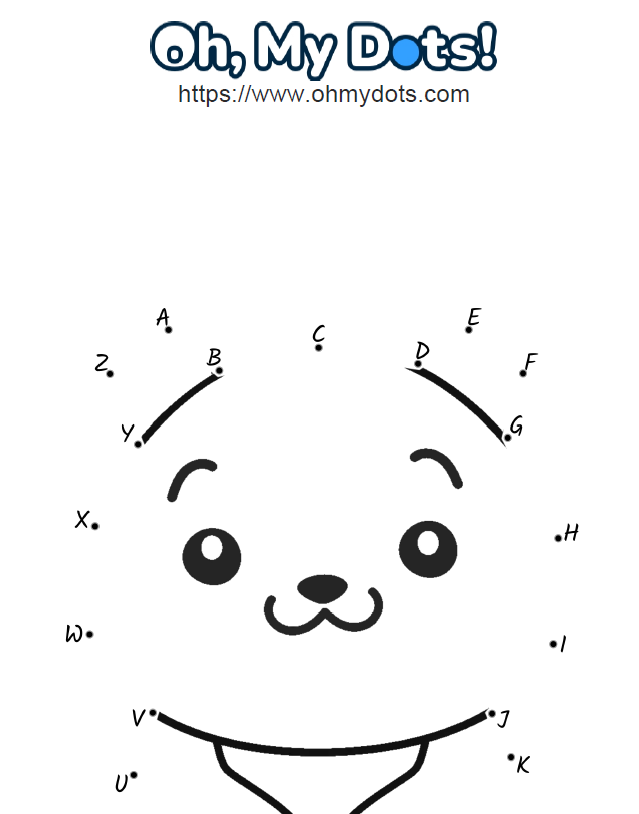
Dot-to-dot game created with Oh,my Dots!

Tools of the Trade

Mastering the art of dot drawing requires more than just skill; it also demands the right tools. The primary tool of a dot drawing artist is, unsurprisingly, the dot itself. These dots can be created using various instruments, including pens, markers, and even the traditional dip pen.

Ink is a popular medium for dot drawing due to its precision and permanence. Artists often prefer fine-tipped pens that allow for consistent dot placement and control. The choice of ink color adds an additional layer of complexity to the artwork, enabling artists to create subtle variations in tone and mood.

For those who prefer a more tactile experience, acrylic paints can also be used for dot drawing. The texture of the paint and the ability to layer dots in three dimensions adds an extra dimension to the artwork. However, this technique requires a steady hand and an in-depth understanding of how acrylic paints behave.

The Creative Process

The creative process of dot drawing is a deeply immersive and contemplative experience. Artists often begin with a rough outline of their subject, carefully planning the arrangement of dots to convey the desired composition. As the drawing progresses, layers upon layers of dots are added, each contributing to the overall image.

Patience is a virtue in dot drawing, as completing a single piece can take a substantial amount of time. The repetitive nature of adding dots requires unwavering focus and dedication. Yet, it is precisely this meditative quality that draws many artists to the technique. Dot drawing provides a respite from the fast-paced world, allowing artists to lose themselves in the gradual emergence of a mesmerizing artwork.

Expressing Depth and Texture

One of the most remarkable feats accomplished by dot drawing is the portrayal of depth and texture. Through variations in dot density and placement, artists can create the illusion of three-dimensionality on a two-dimensional surface. This mastery of visual perception is what sets dot drawing apart as a sophisticated art form.

To achieve the effects of shading and depth, dot drawing artists strategically place dots closer together in areas that require darkness or shadow. Conversely, areas that are meant to be highlighted or illuminated are adorned with sparser and smaller dots. This meticulous manipulation of dot density is a delicate dance that requires a keen understanding of light and form.

The Allure of Dot Drawing

Dot drawing has captured the imagination of both artists and art enthusiasts for several reasons. Its unique and intricate nature challenges artists to push the boundaries of their creativity and technical skill. The process of building an image dot by dot is not only rewarding but also deeply meditative, offering practitioners a form of artistic therapy.

From an observer’s perspective, dot drawings possess an enchanting quality that beckons viewers to explore every minute detail. The intricate patterns created by the arrangement of dots invite closer inspection, revealing hidden nuances and textures that come alive upon closer examination. The allure of dot drawing lies not only in the finished artwork but also in the journey of creating it.

Contemporary Dot Drawing Artists

The resurgence of interest in traditional and intricate art forms has led to a growing community of dot drawing artists. These modern practitioners continue to push the boundaries of the technique, experimenting with different tools, styles, and subjects.

One such artist is Jane Mitchell, whose dot drawings often feature intricate botanical designs. Her use of color and dot placement creates a sense of depth that draws viewers into a world of mesmerizing patterns and textures. Another notable figure is David Wilson, who specializes in portraiture through dot drawing. Wilson’s ability to capture the subtle nuances of facial features using only dots is a testament to the technique’s versatility.

Embracing the Dots

In a world saturated with digital imagery and instant gratification, dot drawing stands as a testament to the timeless allure of traditional artistic techniques. Its meticulous and patient approach to image-making forces both artists and viewers to slow down and appreciate the beauty that emerges from countless individual dots.

As you delve into the world of dot drawing, remember that it is a complex and sophisticated art form that transcends the simplicity of dot-to-dot activities. It is an immersive journey that challenges artists to wield dots as instruments of expression, creating stunning visuals that invite us to explore, engage, and appreciate the intricate beauty of the world around us. So, the next time you come across a dot drawing, take a moment to embrace the dots and immerse yourself in the captivating world they unveil.

Connect-the-dots games have long been a favorite pastime for people of all ages. These engaging puzzles not only provide hours of entertainment but also offer valuable benefits for cognitive development and learning. Traditionally, connect-the-dots games have used numbers as the guiding sequence, but what if we could add a unique twist by using alphabet letters instead? In this article, we’ll explore how you can create free connect-the-dots games with alphabet letters and discover the possibilities of this fun and educational activity using the Oh, my Dots website. From unleashing your creativity to sharing your creations online or printing them as worksheets, Oh, my Dots offers a remarkable platform for puzzle enthusiasts, educators, and anyone seeking a creative outlet.

The Charm of Alphabet Connect-the-Dots Games

Connect-the-dots games with numbers have always been enjoyable, offering a sense of mystery and excitement as you reveal a hidden shape or object by connecting the dots in the correct order. However, using alphabet letters can add a new layer of creativity and learning to the experience. Each letter becomes a piece of the puzzle, and as players connect the dots in alphabetical order, they also reinforce their knowledge of the alphabet. It’s a fantastic way to introduce or reinforce letter recognition and sequencing skills for young learners. For older players, alphabet connect-the-dots games can be transformed into more intricate and challenging puzzles, providing a refreshing twist on a classic activity.

Getting Started on Oh, my Dots

Oh, my Dots is a user-friendly website that allows you to create your own connect-the-dots games using alphabet letters. To get started, simply visit the website www.ohmydots.com and access the dot-to-dot maker. The platform offers a range of customization options, allowing you to personalize your puzzles according to your preferences and intended audience. Whether you’re a teacher creating educational activities or a parent looking for fun and interactive games for your children, Oh, my Dots has something for everyone.

Step-by-Step Guide to Creating Alphabet Connect-the-Dots Games

  1. Choose Your Image: Begin by selecting an image or design you want to transform into a connect-the-dots puzzle. It could be a simple shape, an animal, a vehicle, or even a letter itself. Let your imagination run wild!
  2. Upload Your Image: Upload your selected image to the Oh, my Dots website. The platform’s intuitive interface allows you to easily import your image and begin the transformation process.
  3. Determine the number of letters: Once you have your image, decide on the number of dots/letters you want to use for the puzzle game.
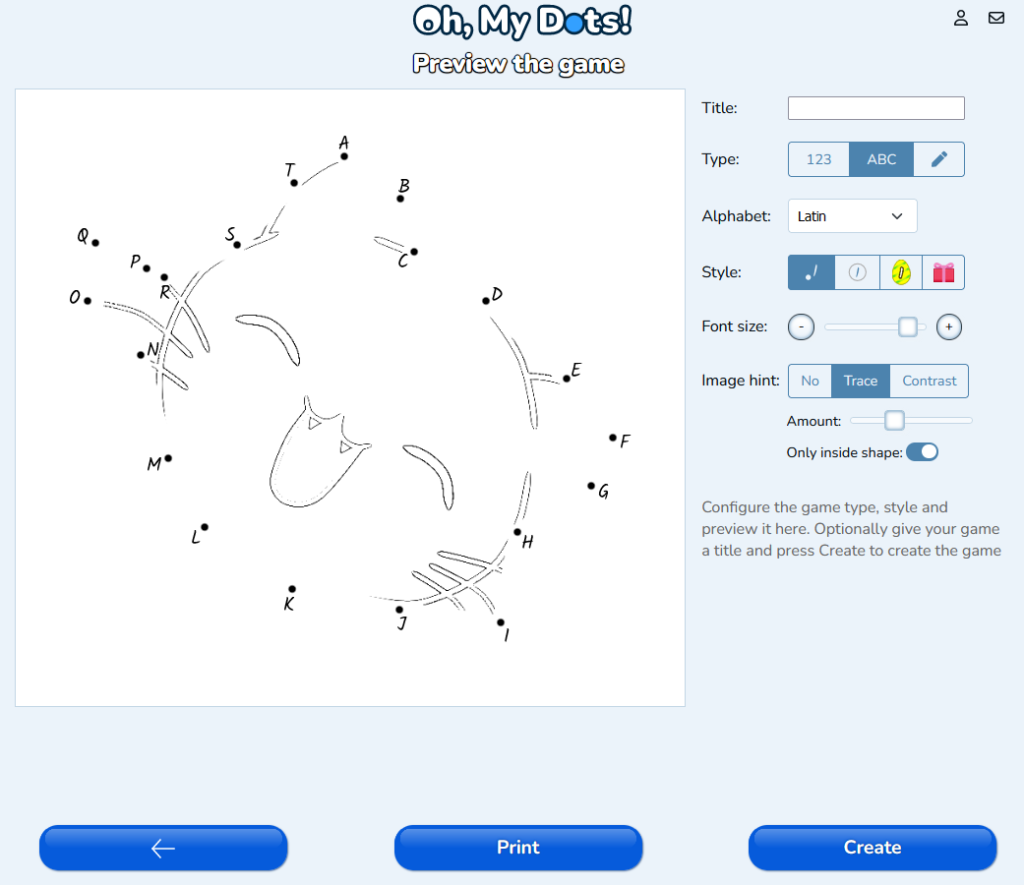
  4. Adjust the Dots: The next step involves placing dots strategically on your image to form the connect-the-dots puzzle. The tool will automatically set the dots for you. But you can always move the dots to position them on a different place.
  5. Select the alphabet: In the next page, select to use letters instead of numbers and chose the alphabet. Currently supported alphabets are Latin (English), Greek, Arab, Hebrew and Sign language.
  6. Customize and Finalize: Oh, my Dots offers various customization features, such as adjusting the size of the dots, changing the font style of the letters. Take your time to customize the puzzle to your liking.
  7. Play and Share: Once you’re satisfied with your creation, save the puzzle by pressing “Create”, and it will be ready to play instantly on the website. You can also choose to print it as a worksheet for offline use or share it with friends, family, or students.

Benefits of Alphabet Connect-the-Dots Games

Beyond the sheer joy and entertainment value, alphabet connect-the-dots games offer numerous benefits for both children and adults:

  1. Letter Recognition and Sequencing: For young learners, connecting the dots in alphabetical order reinforces their knowledge of the alphabet. This hands-on approach to learning can help solidify letter recognition and sequencing skills.
  2. Fine Motor Skills: As players carefully connect each dot, they engage their fine motor skills. This activity is particularly beneficial for young children who are developing their hand-eye coordination and pencil grip.
  3. Cognitive Development: Puzzles, including connect-the-dots games, encourage critical thinking and problem-solving skills. Players must analyze the sequence of letters to reveal the hidden image, stimulating their cognitive abilities.
  4. Creativity and Imagination: Creating custom connect-the-dots puzzles allows individuals to express their creativity and imagination. Whether it’s designing original shapes or using the alphabet in unique ways, the possibilities are endless.
  5. Educational Tool: Teachers can incorporate alphabet connect-the-dots puzzles into their lesson plans to make learning more engaging and interactive. These puzzles can be tailored to suit various educational objectives, such as teaching the alphabet, spelling, or even simple addition and subtraction.

Conclusion

Creating free connect-the-dots games with alphabet letters opens up a world of creativity and learning opportunities. Oh, my Dots provides a fantastic platform for puzzle enthusiasts, educators, and parents to design unique and engaging puzzles that can be played online or printed as worksheets. Whether you’re looking to reinforce letter recognition with young learners or challenge yourself with more intricate puzzles, the combination of alphabet letters and connect-the-dots promises an enriching and enjoyable experience for all. So why not dive into the realm of alphabet connect-the-dots games and explore the endless possibilities of this delightful and educational activity? Unleash your creativity and embark on a puzzle-solving adventure with Oh, my Dots!

Exit mobile version